Parallex 3.0
Your Mac knows who you're being.
Describe your setup in a sentence, share it as a link, carry it to your other Mac, and put agents to work side by side. Everything follows.
Free for every Parallex license. Or try everything for 14 days.
Describe it
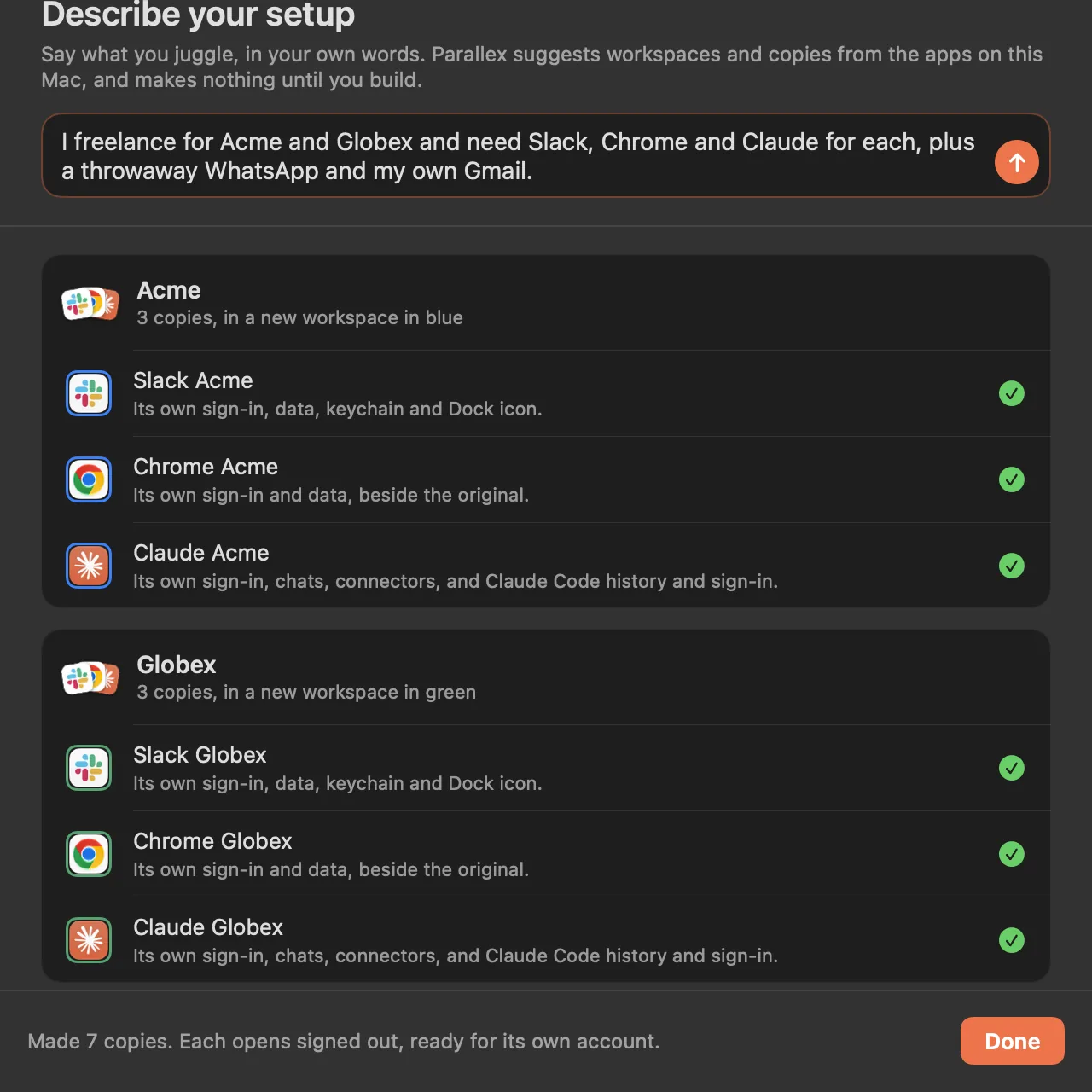
Say what you juggle.
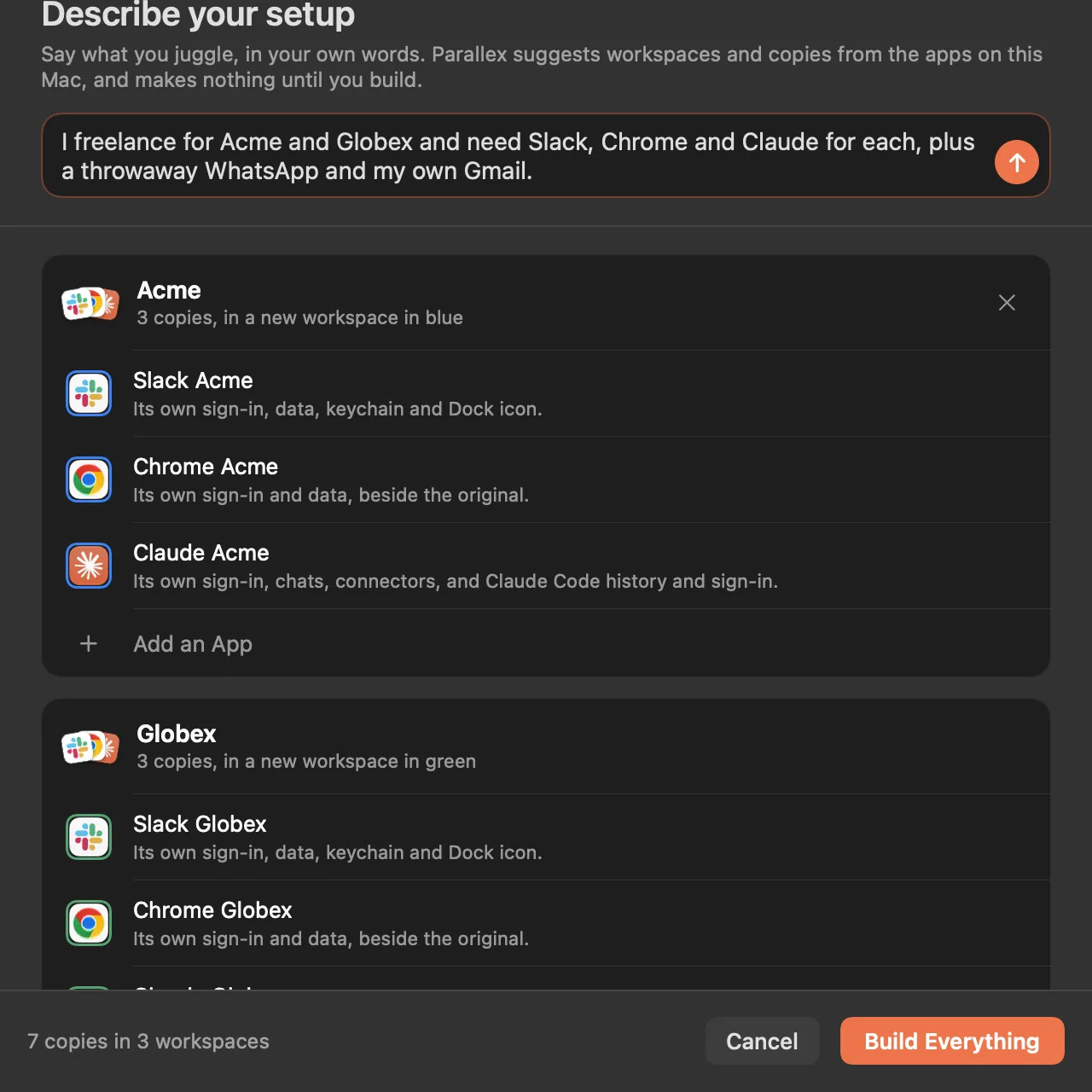
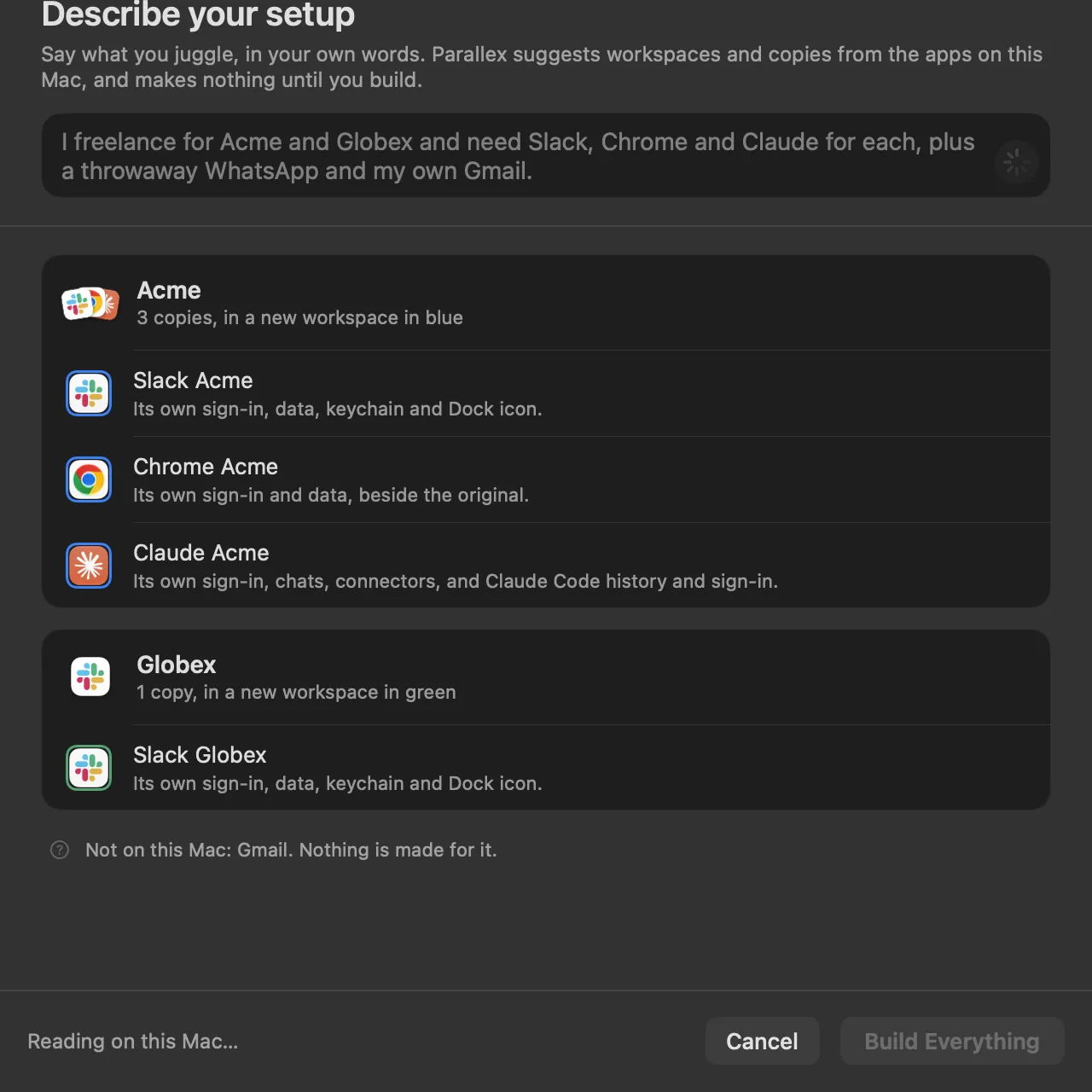
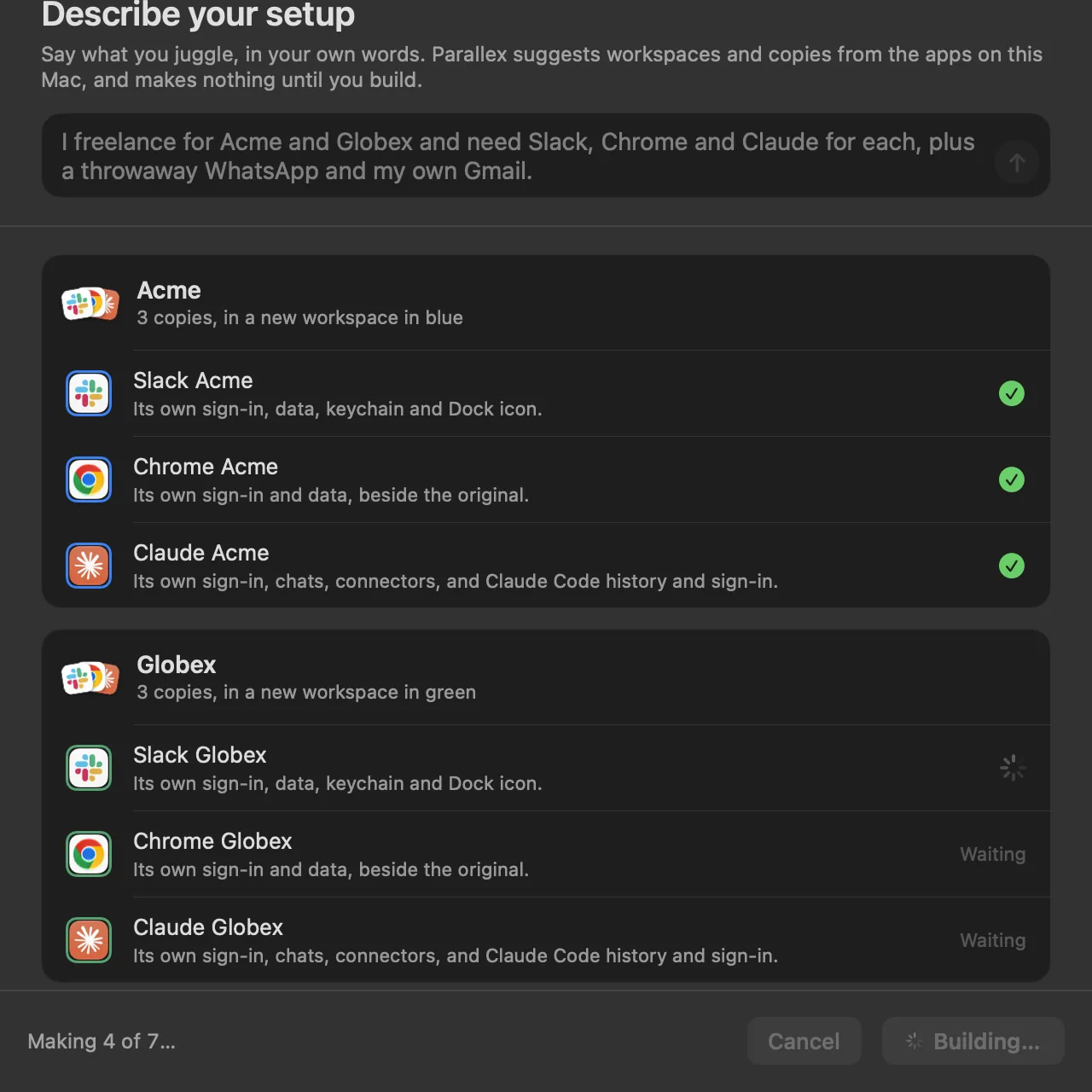
One sentence, and Parallex suggests the workspaces and copies from the apps on your Mac. Nothing is made until you press Build Everything.
You type
I freelance for Acme and Globex and need Slack, Chrome and Claude for each, plus a throwaway WhatsApp and my own Gmail.
Read on your Mac, by Apple's on-device model. Nothing is sent.
Read on your Mac by Apple's on-device model, and made only when you press Build Everything: seven copies, each signed out, ready for its own account.
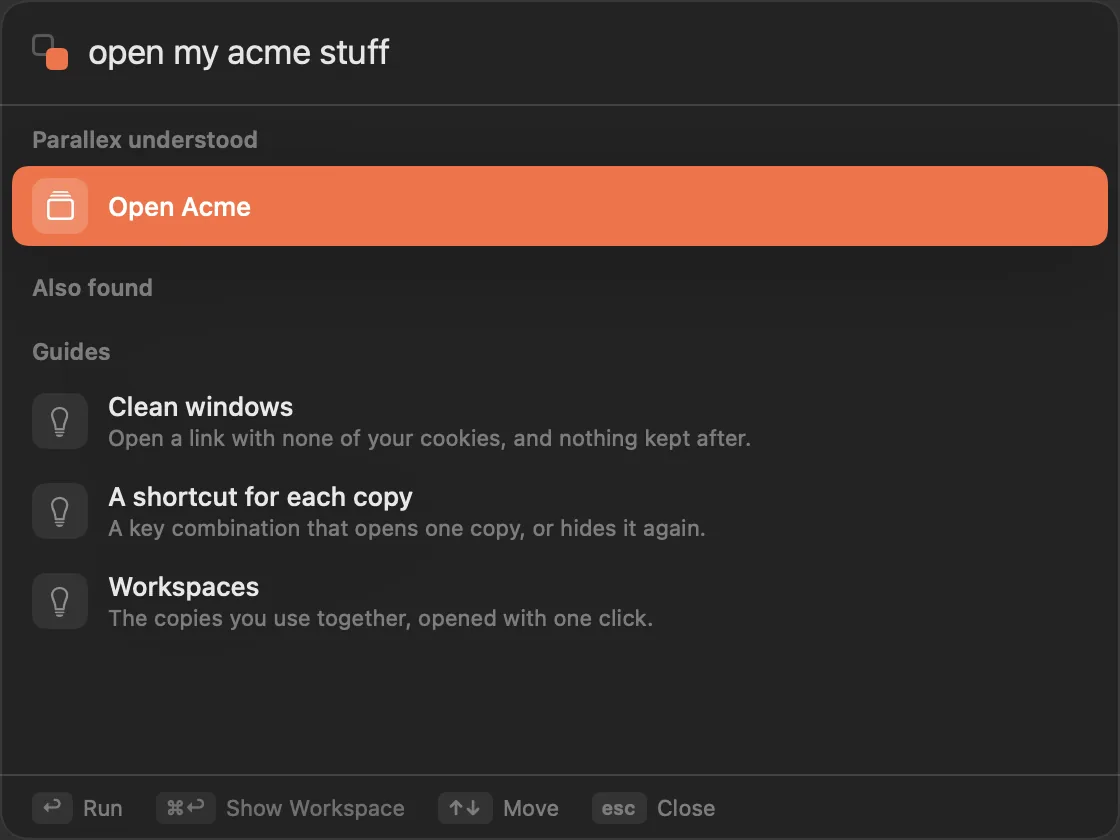
Or just ask the switcher.
Type “open my Acme stuff” after ⌃⌥Space, and it shows what it understood, for you to run.
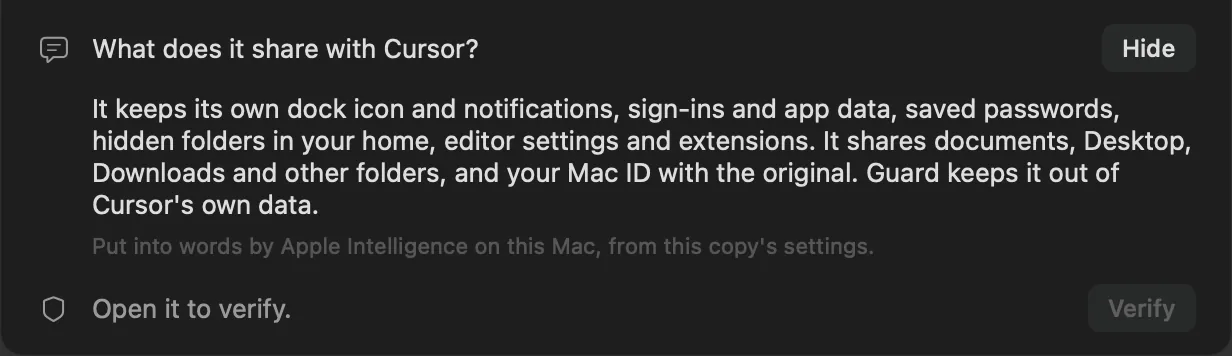
Every copy, in plain words.
A copy's page says what it keeps and what it shares with the original, written on your Mac from its settings.
On your Mac
Apple's on-device model reads what you write. No network, and nothing is sent.
Parallex decides
The model only picks from your apps. Parallex's own code sets how each copy is kept apart.
What it needs
Apple Intelligence, on an Apple silicon Mac with macOS 26 or later. In every Parallex.
Recipes
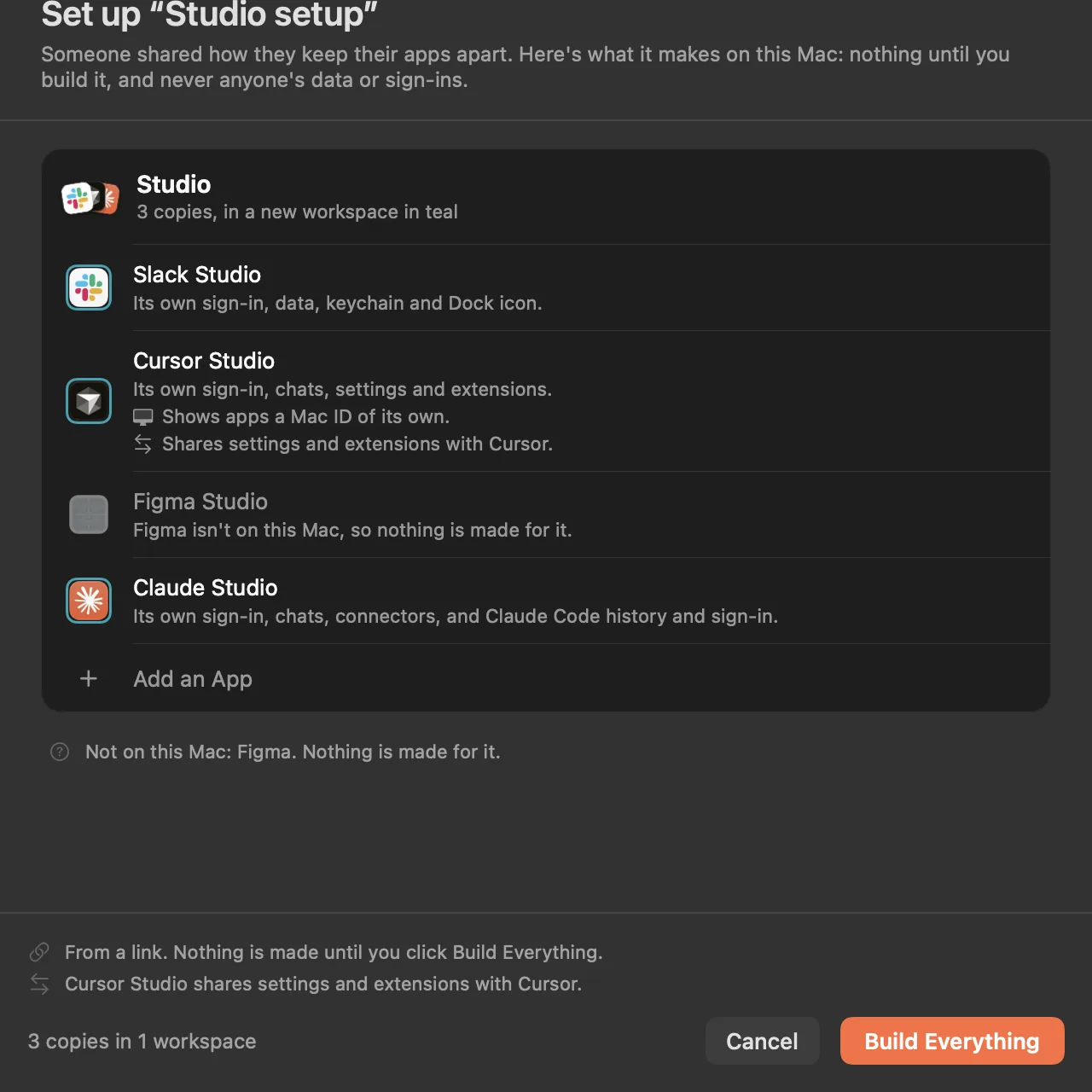
Share a setup as a link.
A setup that works for you, for a teammate, a client or your next Mac, in one link.
No data, no sign-ins.
Which copies, what they're called, the workspaces and their colors, and how each is kept apart.
Nothing runs.
It's a description, not a script. Parallex shows it first and makes nothing until you build it.
Only what you have.
Apps that aren't on the Mac are skipped, and said so.
CarryPro
Take it to your other Mac.
A copy, or a whole workspace, in one encrypted file, still signed in where the app allows it.
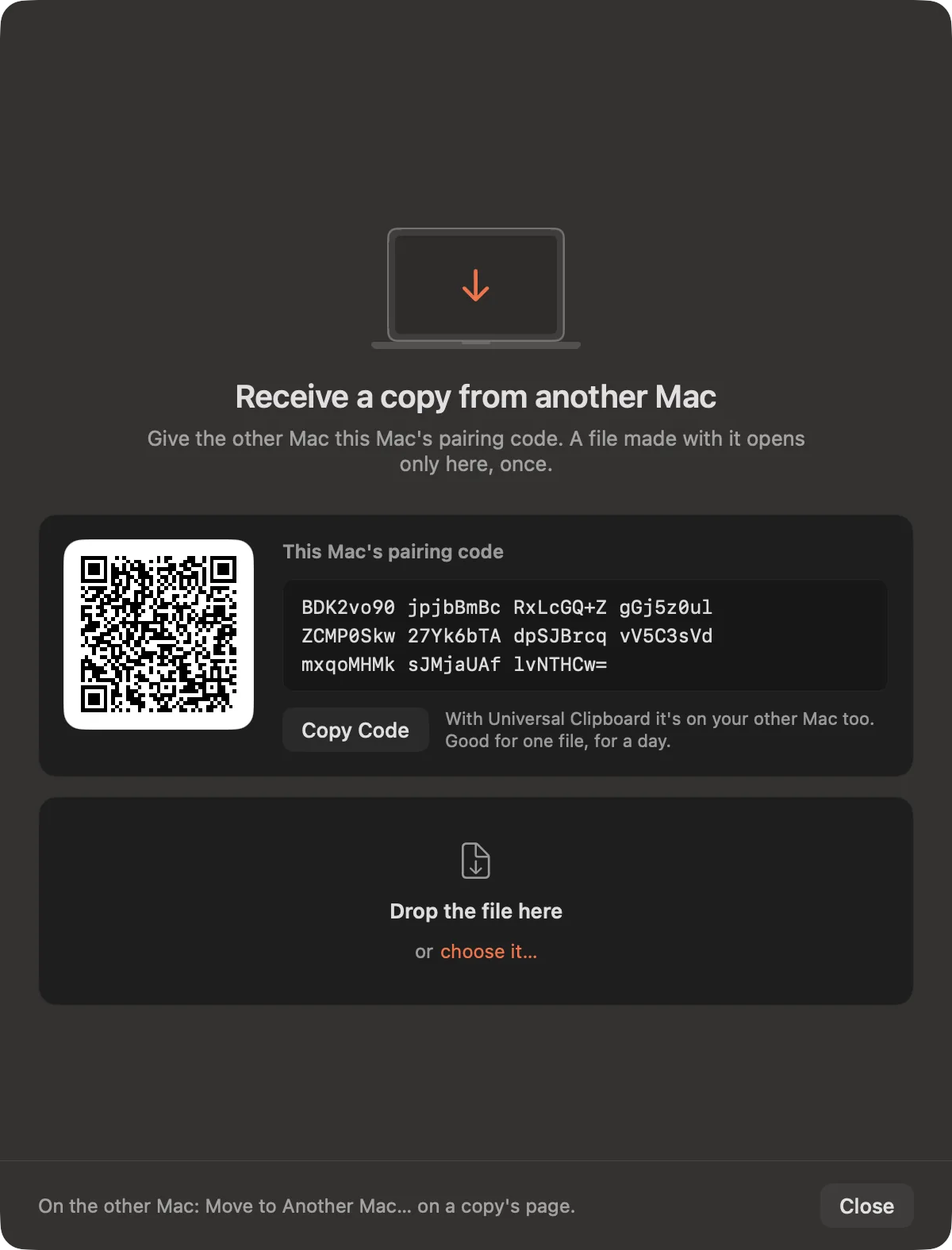
On the new Mac
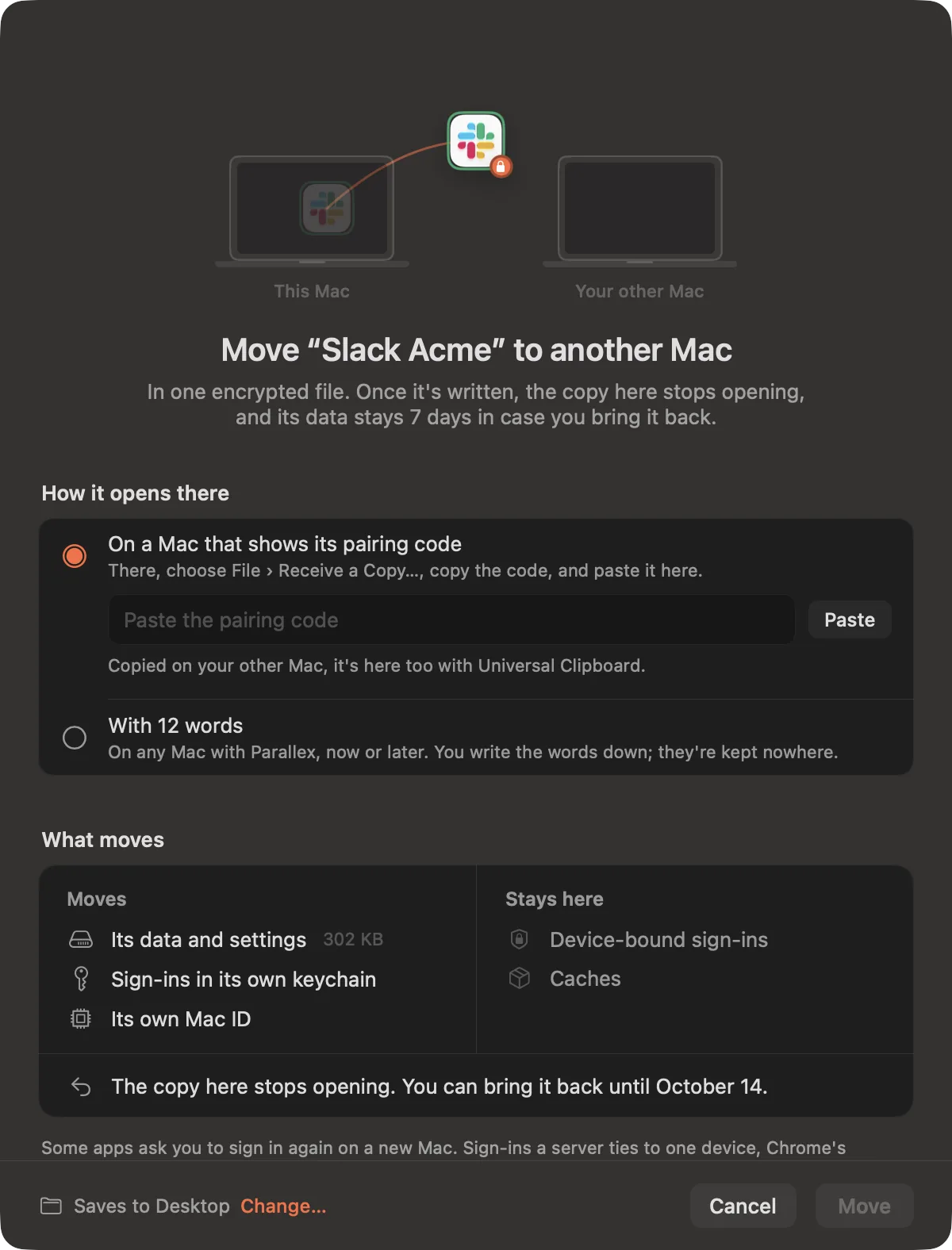
File › Receive a Copy…, then Copy Code. With Universal Clipboard, it's on your other Mac too.
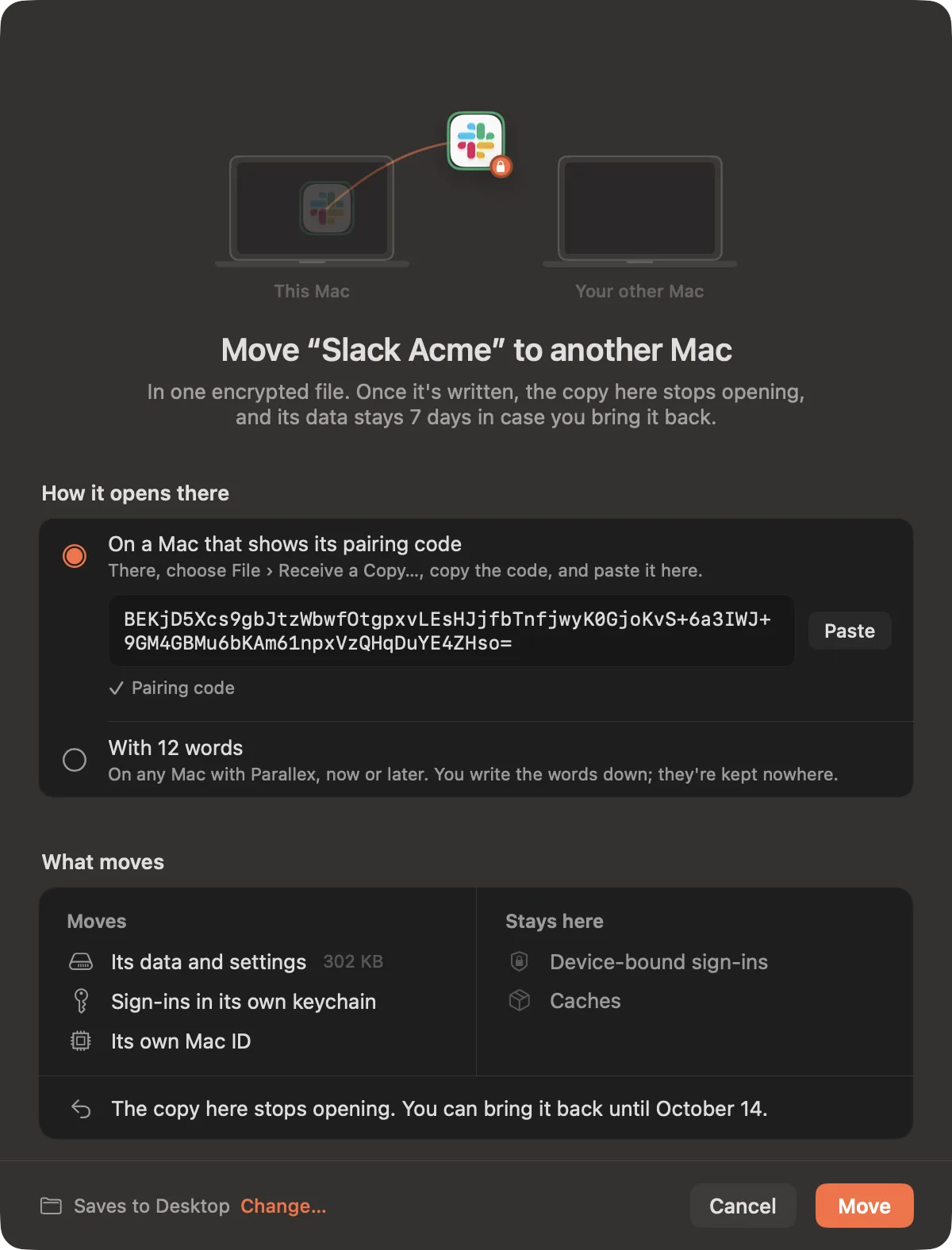
On this Mac
Paste the code and press Move: one encrypted file, made to open on that Mac only.
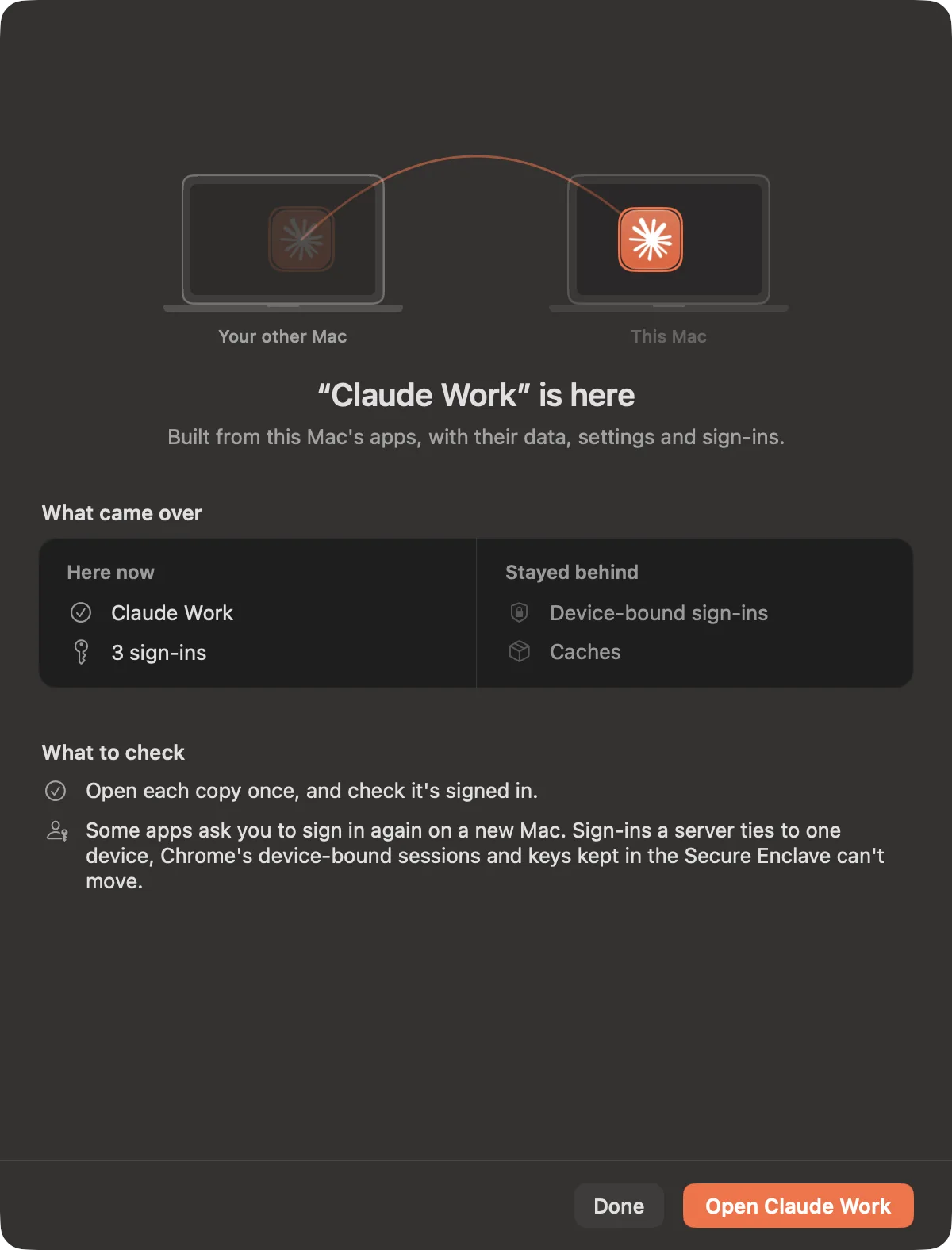
There
It arrives with its data and settings, signed in where the app allows it.
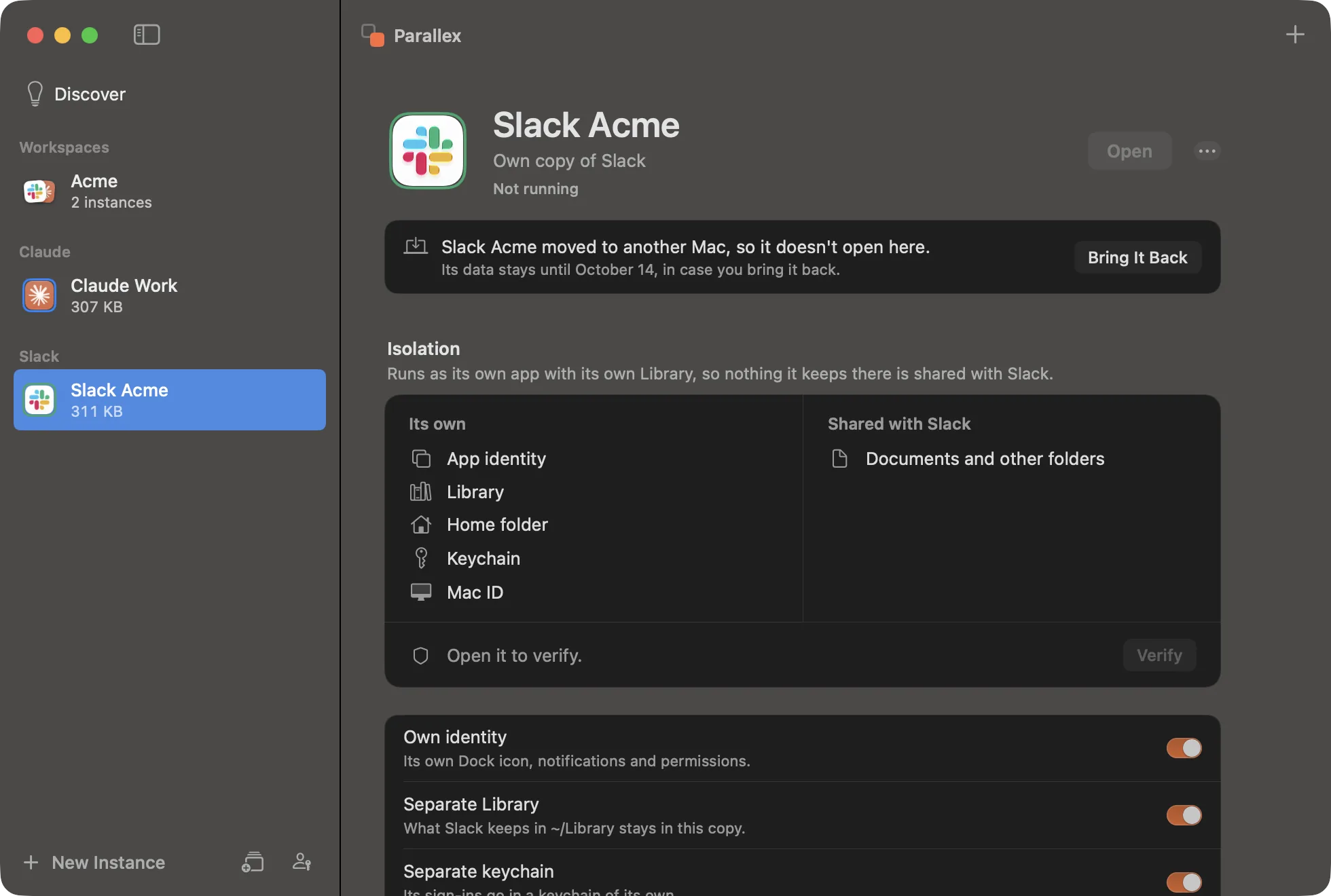
A move, not a clone.
Once the file is written, the copy here stops opening, so its sign-ins are only ever in use on one Mac. Its data stays 7 days, in case you bring it back.
Some apps ask you to sign in again on a new Mac: sign-ins a server ties to one device, Chrome's device-bound sessions and keys kept in the Secure Enclave can't move. No pairing code? Choose 12 words instead, and the file opens on any Mac with Parallex, now or later.
FleetPro
One task, several agents.
Sealed Claude Code and Codex lanes, each in its own git worktree. Compare what they did, and merge the one you pick.
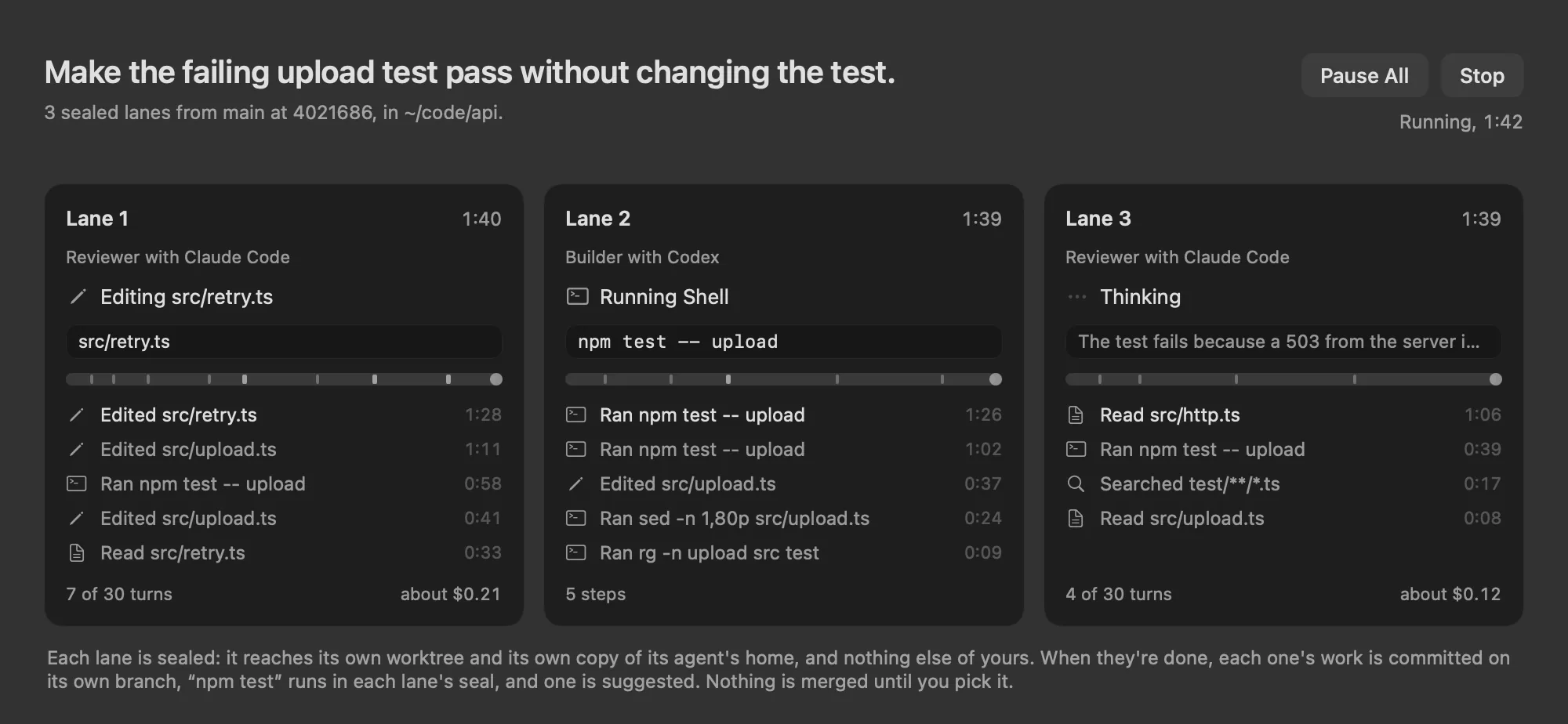
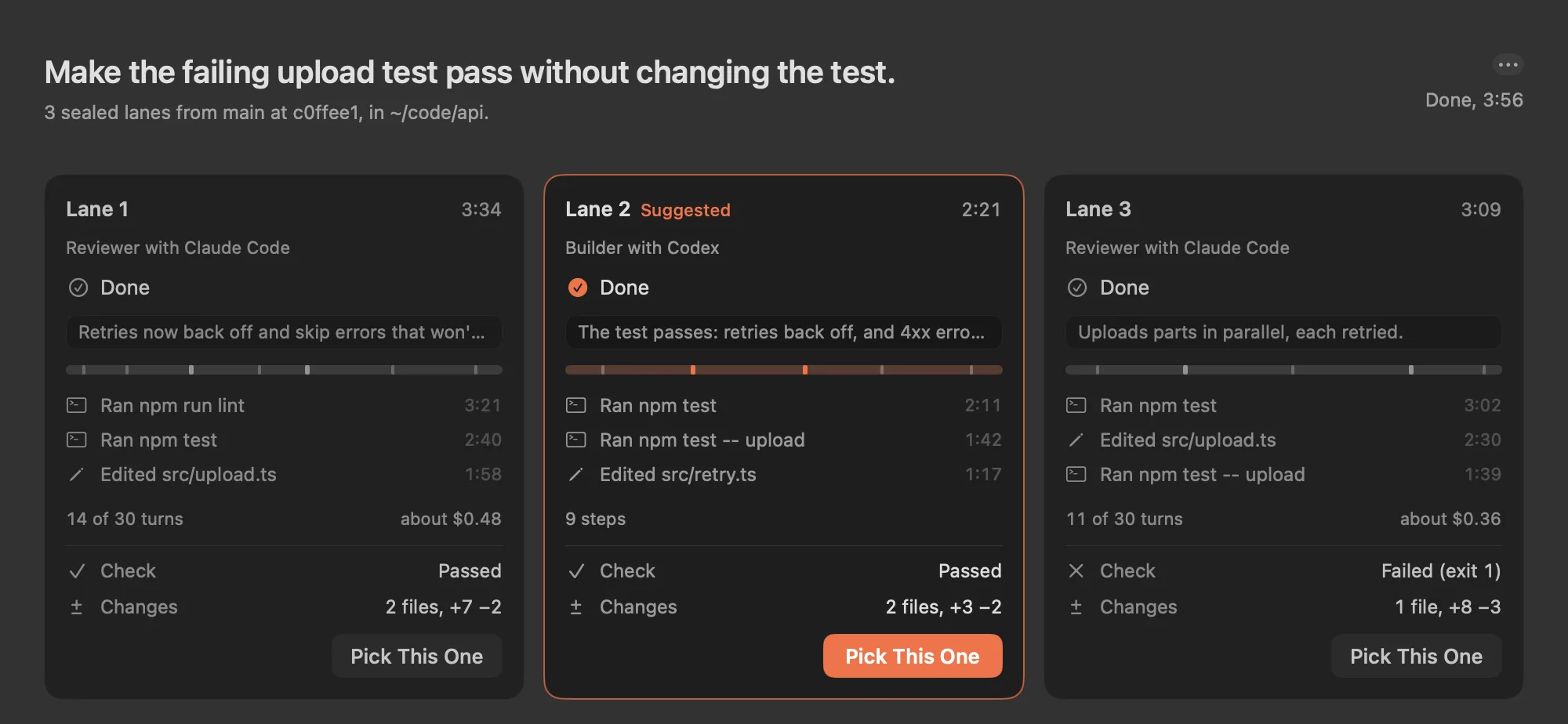
Three sealed lanes on one task: two with Claude Code, one with Codex.
Done. Lane 2 passed the check with the smallest change. Nothing is merged until you pick it.
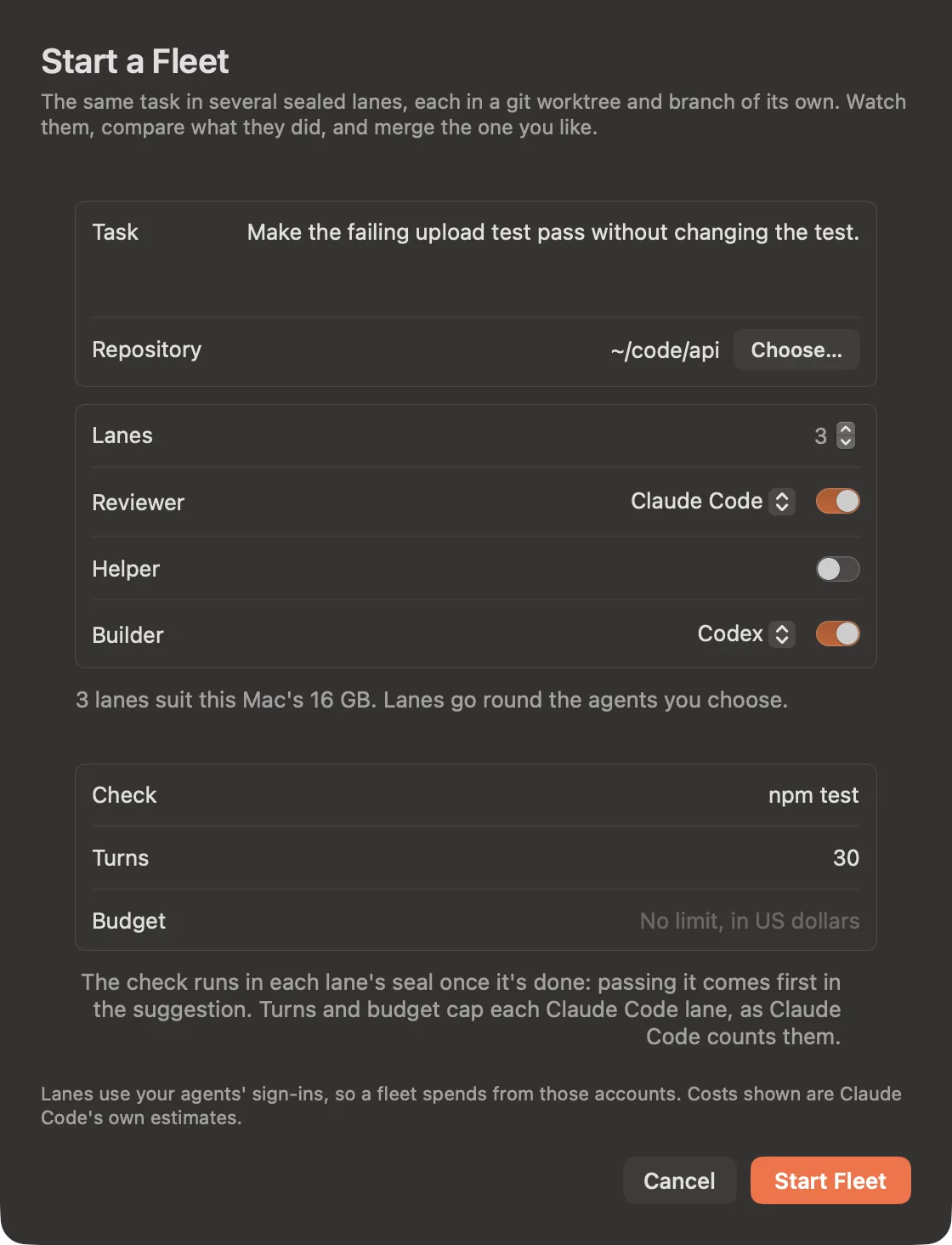
Choose the agents, a check and a budget.
Lanes go round the agents you pick. The check runs in each lane once it's done, and passing it comes first.
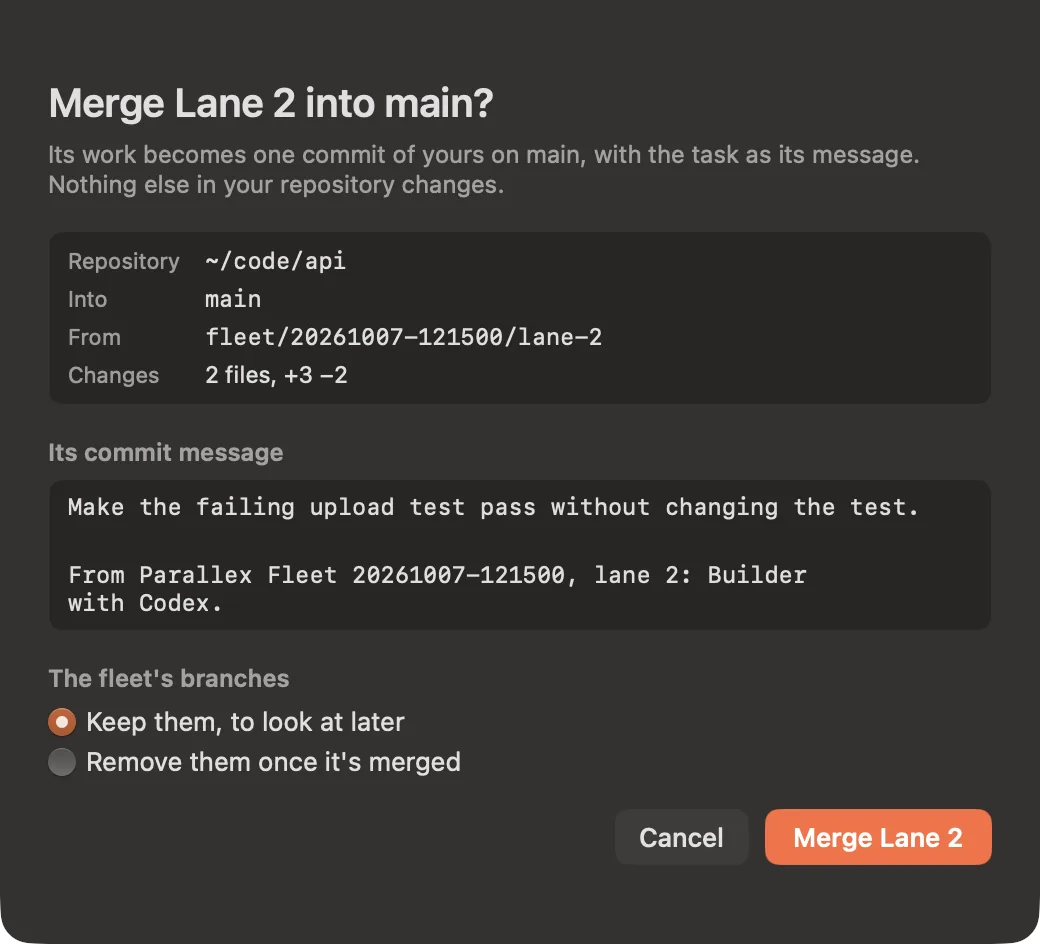
Merge the one you pick.
Its work becomes one commit of yours, with the task as its message. The other lanes stay as branches, or go.
Sealed, not a VM
Each lane reaches its own worktree and its own copy of its agent's home, and nothing else of yours.
Your agents' own sign-ins
Claude Code and Codex as you've set them up. Each lane costs what that run costs.
Nothing merged until you pick
Compare the check, the size of each change, the time and the estimated cost first.
Free for every license.
Every Parallex license covers 3.0, and so does every founding Pro license. The 14-day trial includes all of it.
In every Parallex
- Describe your setup in a sentence
- Ask the switcher in words
- Share a setup as a link
In Parallex Pro
- Carry a copy or a workspace to your other Mac
- Run a fleet of sealed agents on one task
- And everything Pro already had
Questions about 3.0
Is Parallex 3.0 a paid upgrade?
No. Every Parallex license covers 3.0, and so does every founding Pro license. Describe and Recipes are in every Parallex; Carry and Fleet are part of Parallex Pro. The 14-day free trial includes all four.
Does Describe send anything anywhere?
No. It uses Apple's on-device model, on your Mac, with no network. The model only reads your sentence and picks from the apps you have; Parallex's own code decides every isolation setting, and nothing is made until you press Build Everything.
What does Describe need?
Apple Intelligence, turned on, on an Apple silicon Mac with macOS 26 or later. The same goes for asking the switcher in words and for a copy's page putting what it shares into words. Without it those parts aren't offered, and everything else works as before. Parallex itself still runs on macOS 14 and later, Apple silicon and Intel.
What's in a recipe link?
Which apps get a copy, what each is called, the workspaces and their colors, and how each copy is kept apart. Never anyone's data, sign-ins, passwords, files or commands. The setup is in the part of the link after the #, which browsers never send to a server. Opening one shows it first, skips apps you don't have, and makes nothing until you build it.
Does Carry clone my accounts?
No, it moves them. Once the file is written, the copy on the old Mac stops opening, so its sign-ins are only ever in use on one Mac. Its data stays there for 7 days in case you bring it back, then goes to the Trash.
Will a carried copy still be signed in?
Where the app allows it. Sign-ins in the copy's own keychain move with it, and so does its data. Some apps ask you to sign in again on a new Mac: sign-ins a server ties to one device, Chrome's device-bound sessions and keys kept in the Secure Enclave can't move.
How do the two Macs pair?
On the new Mac, choose File › Receive a Copy… and copy its pairing code. With Universal Clipboard it's already on the old Mac, ready to paste, and the file opens only on the new one. Or choose 12 words instead: write them down, and the file opens on any Mac with Parallex, now or later. The words are kept nowhere.
Does Fleet cost money?
Fleet is part of Parallex Pro. Its lanes run Claude Code and Codex with your own sign-ins, so each lane costs what that run costs on your plan or account. Parallex shows Claude Code's own estimate for each lane, and turns and a budget can cap every Claude Code lane.
Is a Fleet lane a virtual machine?
No. Each lane is sealed with the macOS sandbox Parallex has used for agent runs since 2.7: it reaches its own git worktree and its own copy of its agent's home, and nothing else of yours. Nothing is merged until you pick a lane.
Everything follows.
Try everything free for 14 days. Apple silicon and Intel.
Free 14-day trial. Requires macOS 14 or later.
Parallex is made by a student developer. It's a one-time purchase, notarized by Apple, and every 3.x update is included. Questions? Write to hello@mandip.dev.