Every app. Twice.
Run separate copies of any Mac app, each with its own accounts, data and Dock icon.
No license, no card, no account. For macOS 14 and later.
or in Terminal
curl -fsSL https://parallex.mandip.dev/install | sh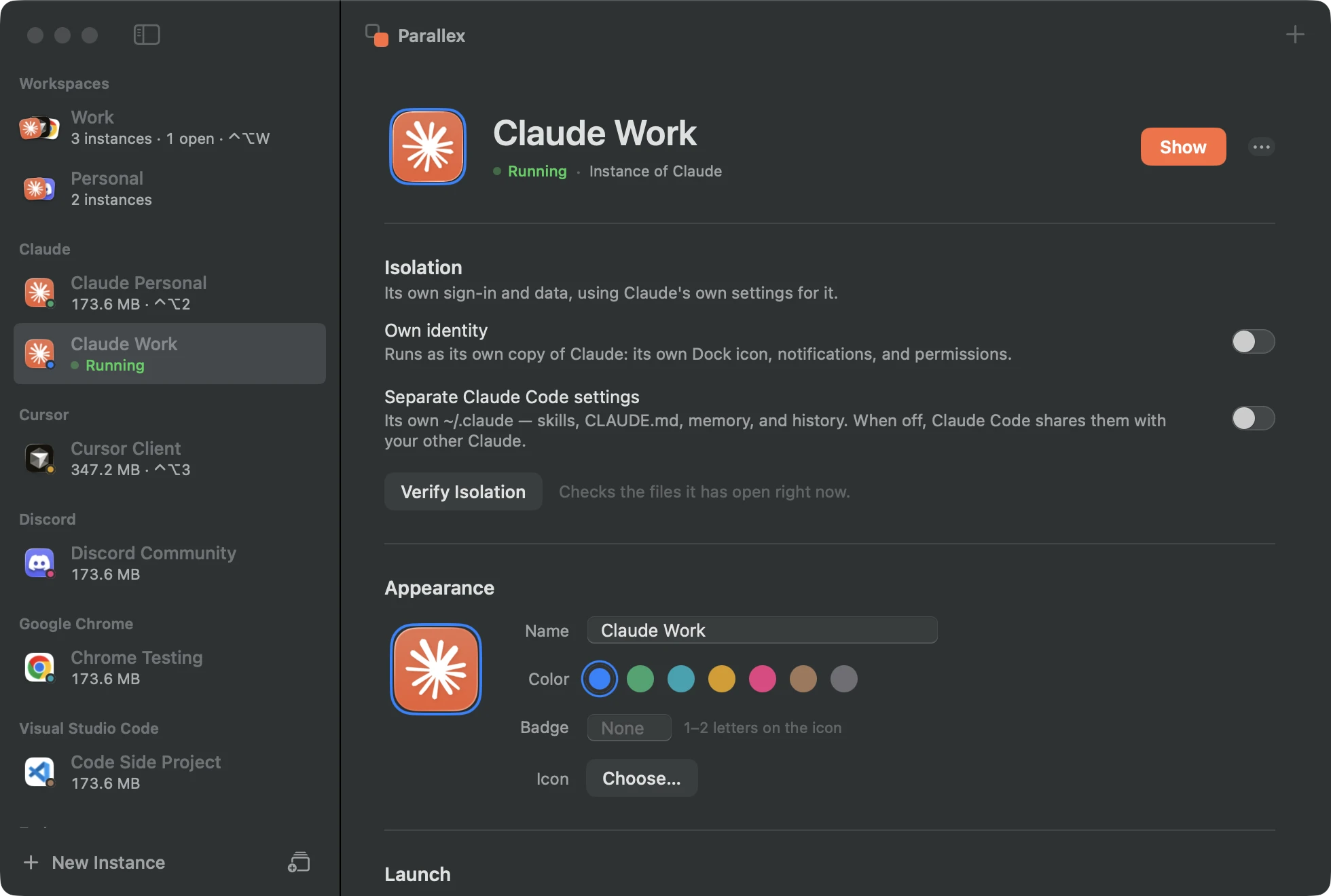
Your Mac knows who you're being.
Say it once and everything follows: your copies, your other Mac, your agents.
Describe it
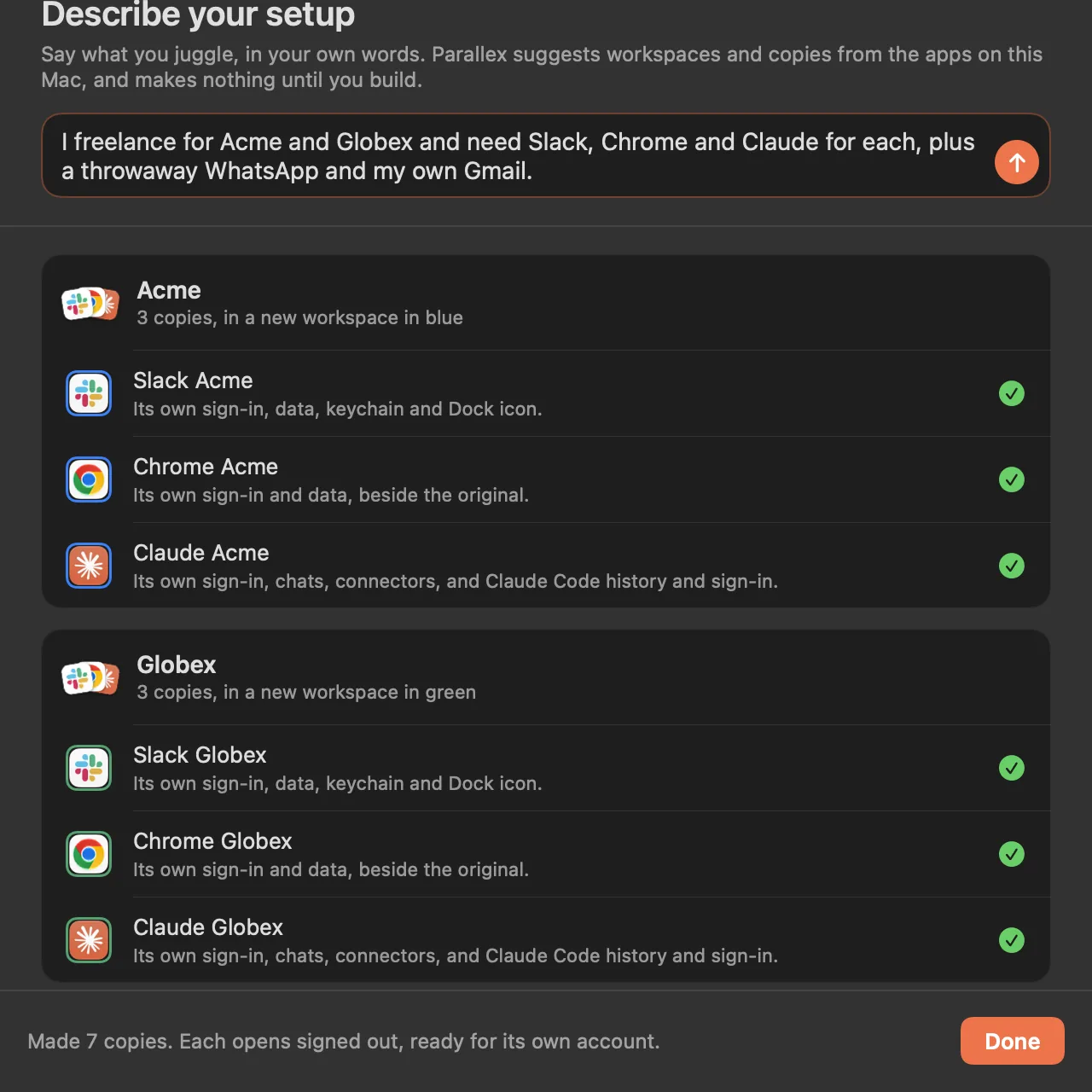
Say what you juggle.
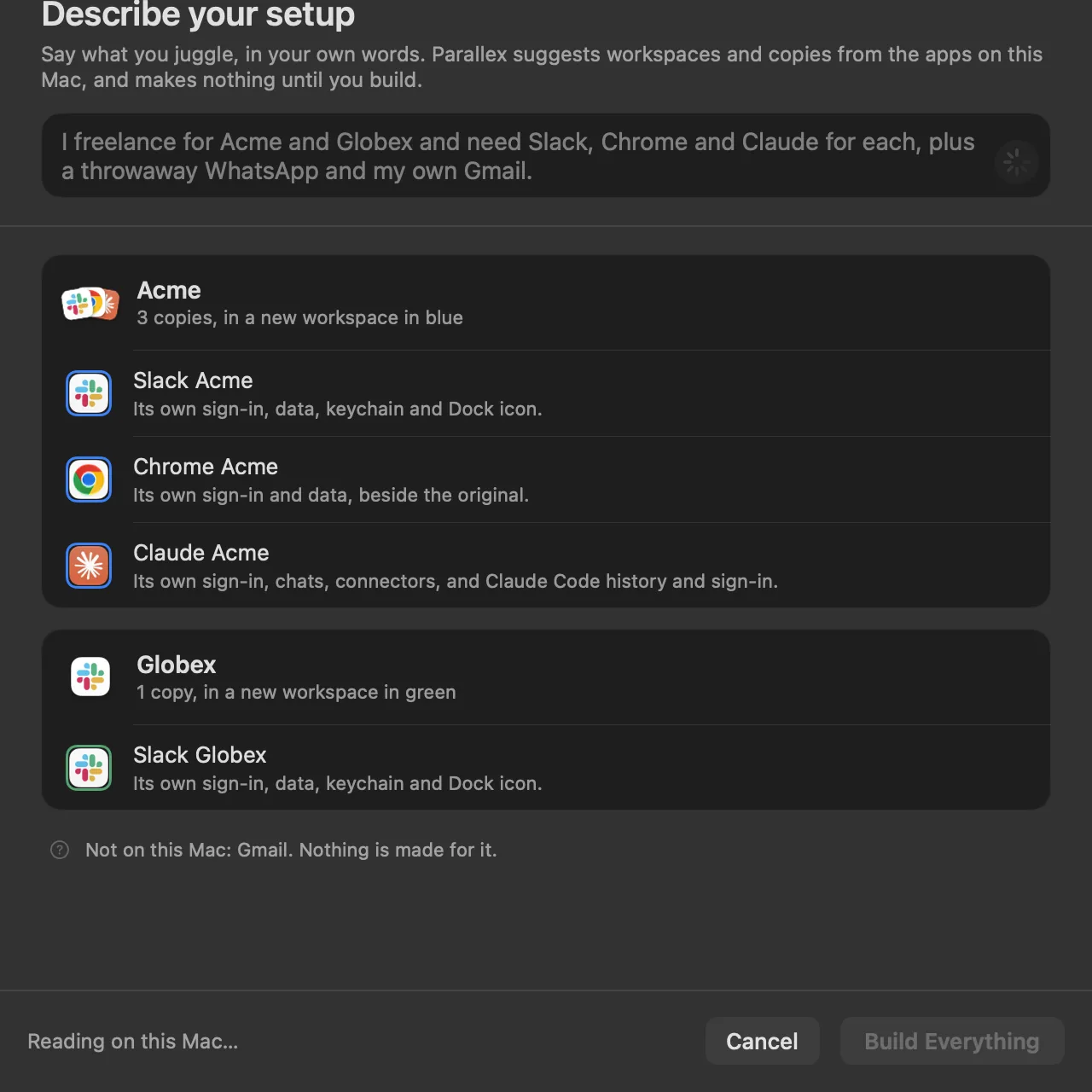
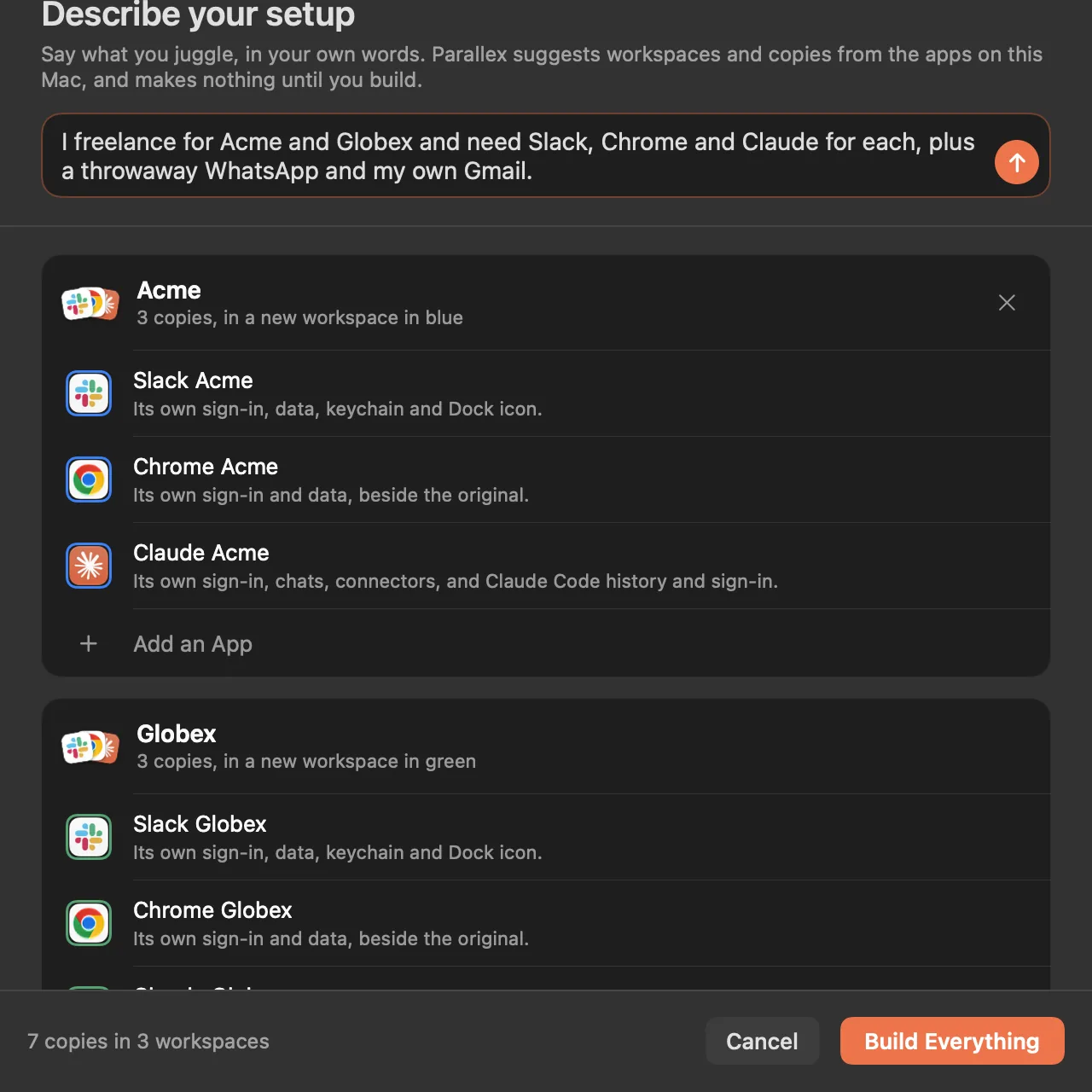
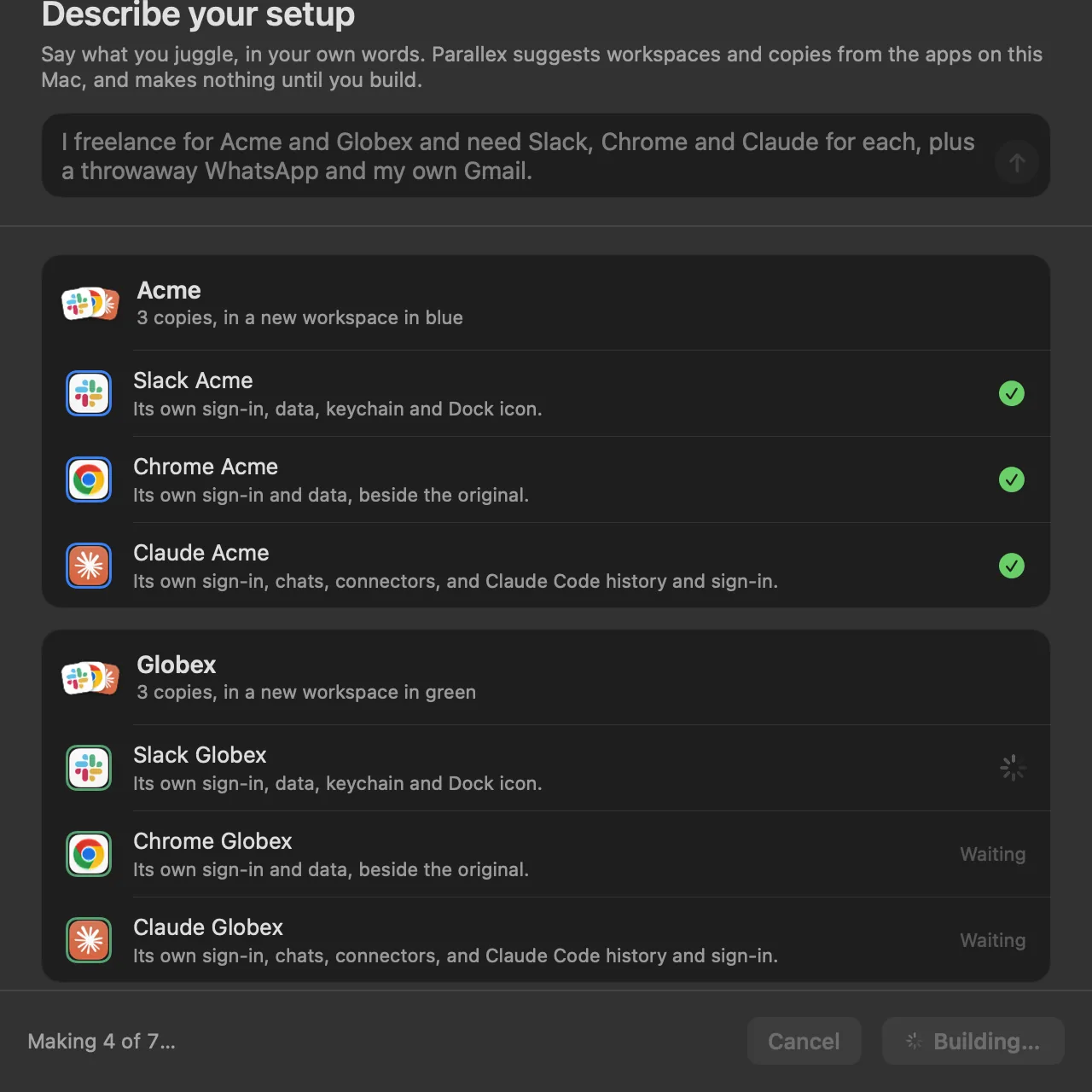
One sentence, and Parallex suggests the workspaces and copies from the apps on your Mac. Nothing is made until you press Build Everything.
You type
I freelance for Acme and Globex and need Slack, Chrome and Claude for each, plus a throwaway WhatsApp and my own Gmail.
Read on your Mac, by Apple's on-device model. Nothing is sent.
Read on your Mac by Apple's on-device model, and made only when you press Build Everything: seven copies, each signed out, ready for its own account.
Recipes
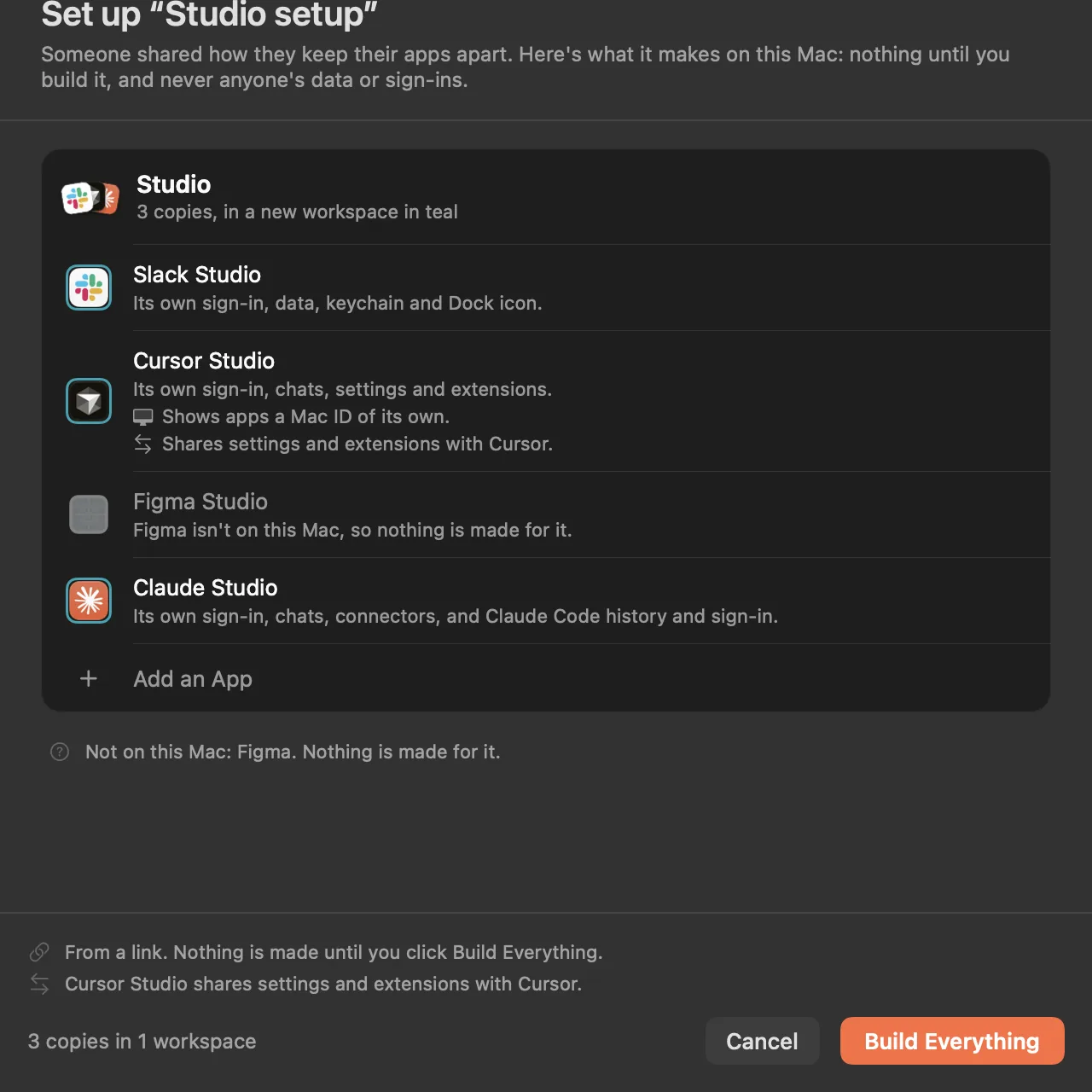
Share a setup as a link.
Which copies, in which workspaces, kept apart how. No data, no sign-ins, and nothing that runs.
CarryPro
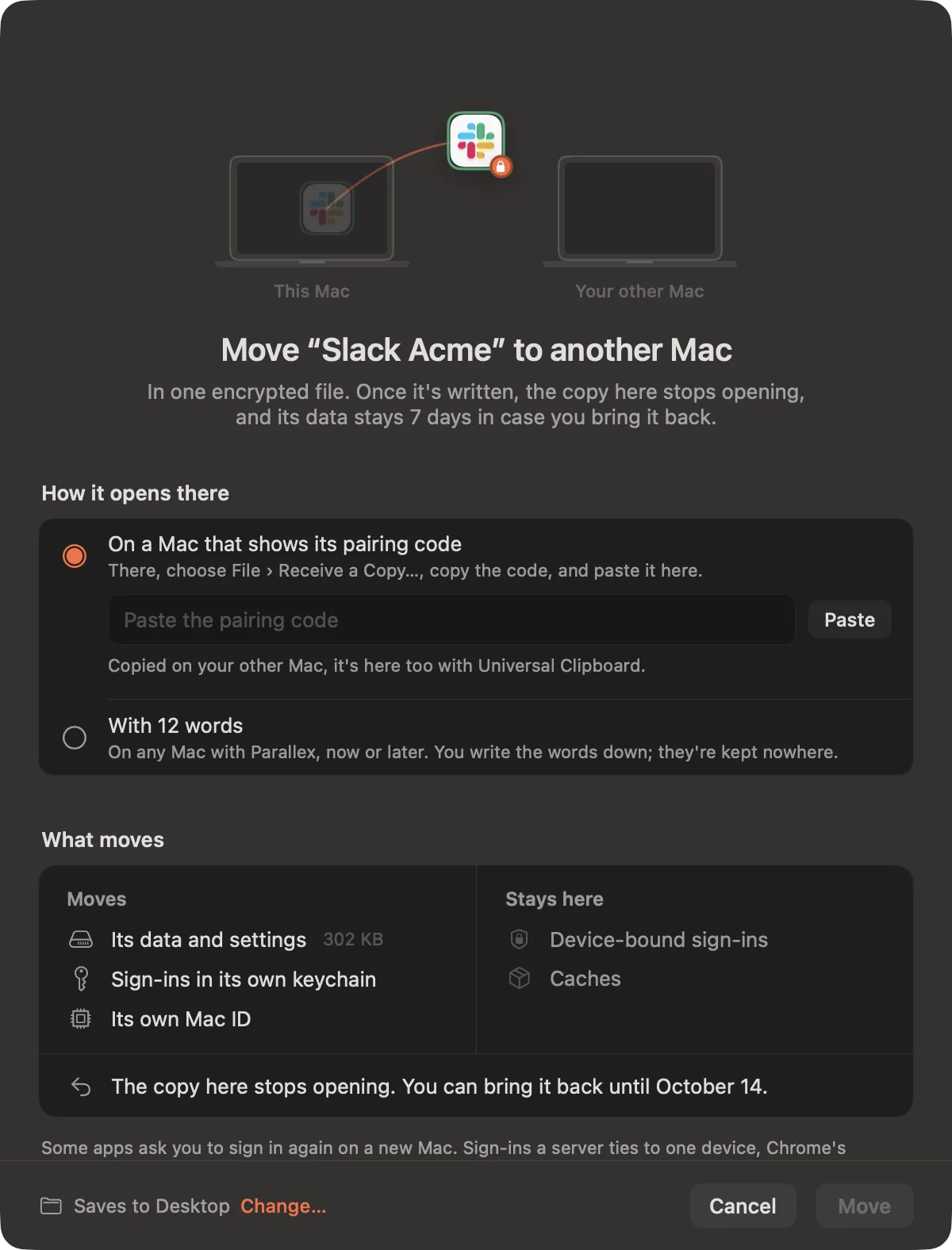
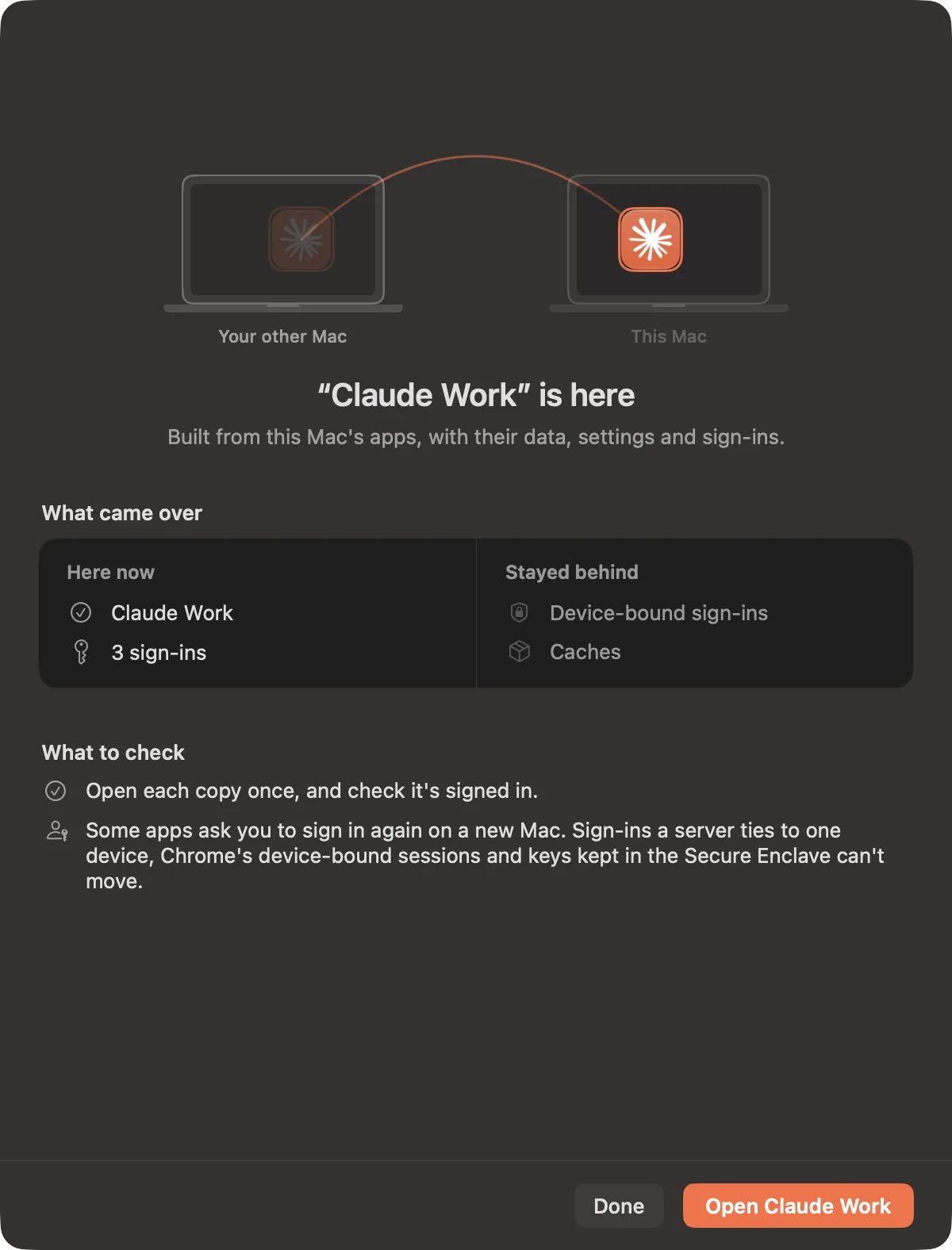
Take it to your other Mac.
A copy, or a whole workspace, in one encrypted file, still signed in where the app allows it. The copy here stops opening, so it's a move, never a clone.
FleetPro
One task, several agents.
Sealed Claude Code and Codex lanes, each in its own git worktree. Compare what they did, and merge the one you pick.
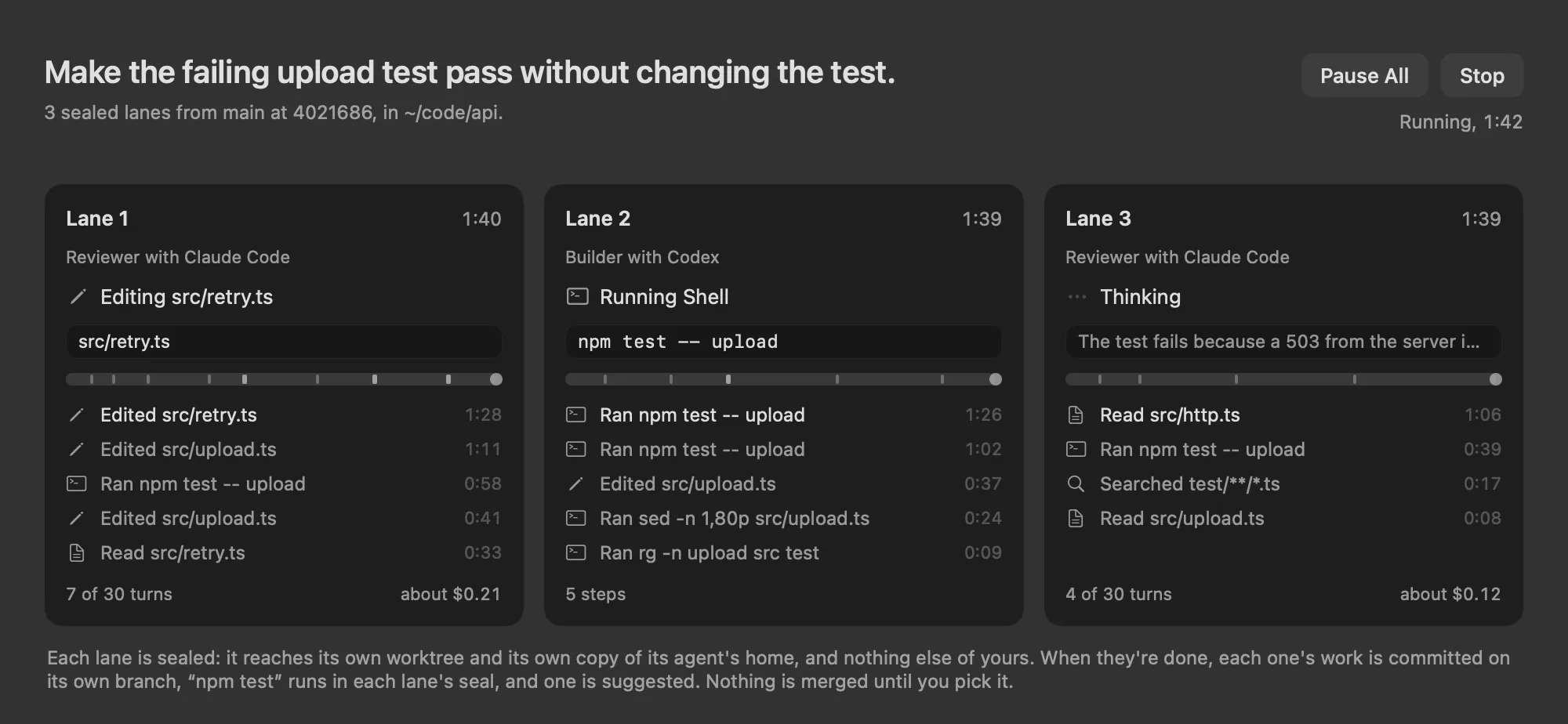
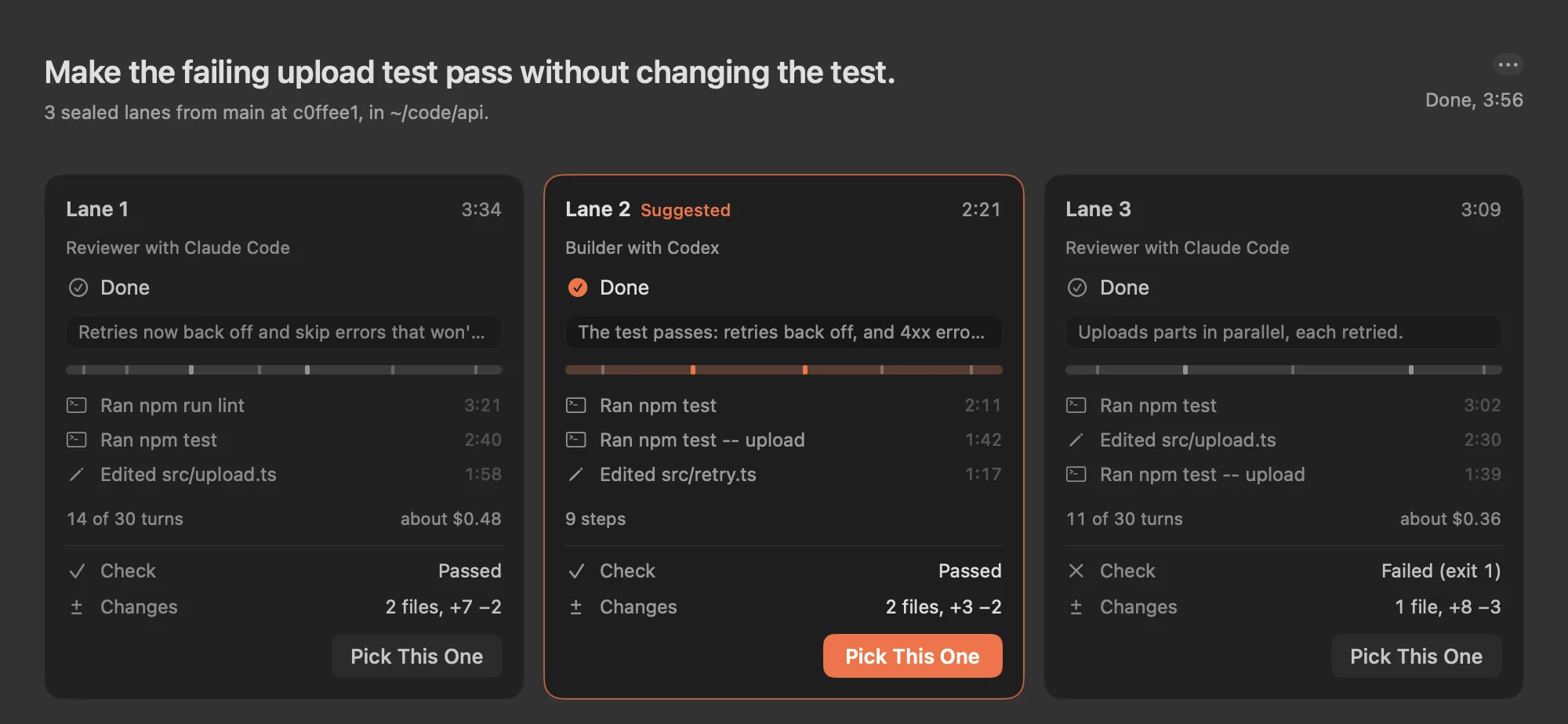
Three sealed lanes on one task: two with Claude Code, one with Codex.
Done. Lane 2 passed the check with the smallest change. Nothing is merged until you pick it.
Built to keep things apart.
Separate by default.
Every copy has its own sign-in and data, App Store apps included, and Parallex checks what each one opens.
Always know which one.
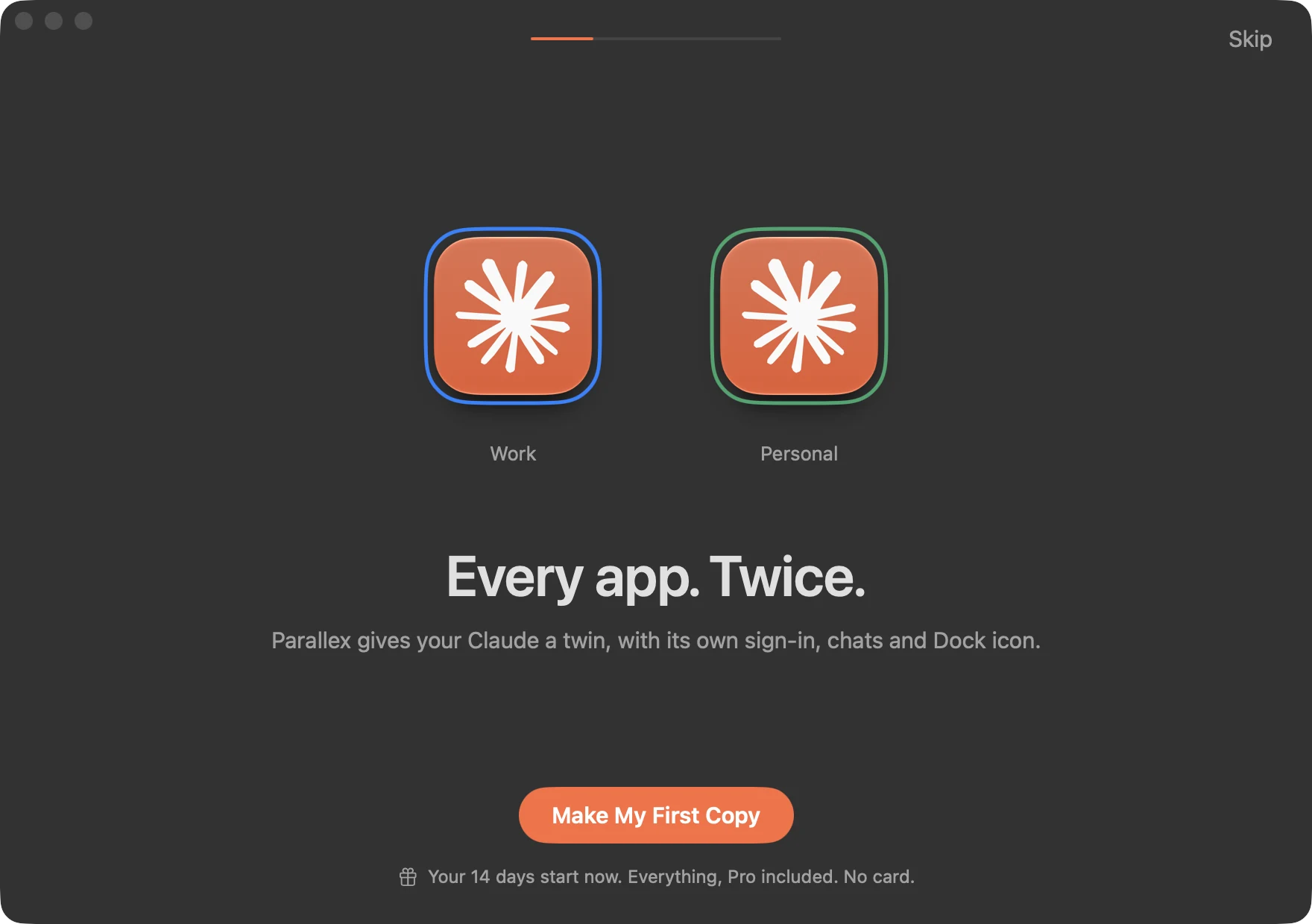
Each copy gets its own name, Dock icon, color ring and badge.
Links land where they should.
Sign-in links reach the right copy, and web links open in that copy's browser.
Switch in a keystroke.
Press ⌃⌥Space to see every copy, or type what to do: snapshot one, make another, pause agents. The switcher
Parallex in half a minute.
Every AI account, side by side.
A second Claude, ChatGPT, Codex or Cursor is one template away, in every Parallex. Pro adds the rest, and for now Pro is free too.
Tested every night.
Every night, a clean Mac makes a fresh instance of each of these apps, the way New Instance makes one, opens it, and checks that it runs without reaching the original's data.
Questions, answered.
Can I run two copies of the same app on a Mac?
Yes. On its own, macOS runs one copy of most apps per user, and a second one started from Terminal shares the first one's sign-in and data. Parallex makes a separate instance of the app, with its own data, keychain and Dock icon, so both run at once, each signed in to a different account.
Which apps work?
Most Mac apps, App Store apps included: Slack, WhatsApp, Discord, Telegram, Claude, ChatGPT, Cursor, VS Code, Chrome, Teams, Zoom and many more, with a lab that tests them every night on a clean Mac (latest results). Apple's own apps can't be copied. Any website can be made into an app of its own, too.
Does it help with Claude Code, Codex and other AI tools?
Yes. New Instance has templates for a second Claude, ChatGPT, Codex or Cursor account, each with its own sign-in. Parallex Pro adds one Claude setup for every account, usage for each account in the menu bar, folders that switch who you are in Terminal, agent workspaces, and in 3.0 Fleet: one task given to several sealed Claude Code and Codex agents at once, with the one you pick merged. For Claude Code alone, two accounts need no extra app.
Does it change the original app?
No. Your original app is never changed: everything Parallex makes lives beside it, and removing an instance moves it and its data to the Trash. How it works explains exactly what Parallex does, trade-offs included.
What if an app update breaks a copy?
A copy with an identity of its own keeps the version it was on when its app updates, and can go back to it, with its data as that version left it. Snapshots keep a copy's data as it was, taken by hand or once a day, and a practice copy lets you try rewinding first. Undo an app update has the details.
How do I find out everything it can do?
Discover, at the top of Parallex's sidebar, lists every feature by the job it does, each with a small demo drawn from your own apps. Otherwise Parallex mentions a feature only when something you do suggests it, at most one tip a day, worked out on your Mac and never sent. The switcher (⌃⌥Space) answers “how do I…” questions too. What tips and the coach look at.
What can't a copy do?
Features tied to the developer's signature: iCloud sync, push notifications that go through Apple, and Sign in with Apple. Apps that don't use them aren't affected.
Isn't a second macOS user account, or a browser profile, enough?
A second user account keeps apps apart, but you switch between accounts rather than seeing both at once. A browser profile separates websites, not Mac apps. Every way to run an app twice compares them.
Is Parallex related to Parallels or Parall?
No. Parallels Desktop runs Windows and other systems in virtual machines. Parall is another developer's app that also runs Mac apps twice, in a different way (Parallex and Parall, side by side). Parallex is made independently.
What does Parallex cost?
Nothing, for now. Since October 31, 2026, Parallex is free, Pro included, on as many Macs as you like, with no license, no card and no account. That's for an undefined time, not a trial: there's no countdown. Licenses people bought stay valid. If Parallex is ever paid again, this site will say so before anything changes, and every copy you've made keeps opening, and can always be exported, either way. Pro is moving a copy to your other Mac (Carry), running several sealed agents on one task (Fleet), sharing your Claude setup across accounts, usage for each account in the menu bar, folders that switch your identity in Terminal, agent workspaces (an identity of its own for each AI agent) and a Parallex MCP server.
What do I need?
A Mac with macOS 14 Sonoma or later, Apple silicon or Intel. Parallex is signed and notarized by Apple.
Three steps. That's it.
The first time, Parallex does it with you: it makes a real copy of an app you have, opens both side by side, checks they stay apart, and hands you ⌃⌥Space.
Free, for now.
Since October 31, 2026, everything in Parallex is free, Pro included, on as many Macs as you like. No license, no card, no account.
Parallex, with Pro
$0.
The whole app, on every Mac you use, with every update.
For macOS 14 and later, Apple silicon and Intel.
Every Parallex
- Every app, as many copies as you like
- Workspaces, snapshots and going back a version
- Describe your setup in a sentence
- Share a setup as a link
- The switcher, ⌃⌥Space
Pro, included
- Carry: move a copy to your other Mac
- Fleet: several agents on one task
- Your Claude setup across accounts
- Usage for each account in the menu bar
- Folders that switch your identity in Terminal
- Agent workspaces and an MCP server
For an undefined time
This isn't a trial, and nothing counts down. Parallex stays free until further notice.
Licenses stay valid
If you bought one, it keeps working as it did: activating a Mac, finding your key, your account page.
If that ever changes
You'll read it here before anything changes, and every copy you've made keeps opening, and can always be exported.
Ready for a second one?
Everything, Pro included, free for now. Apple silicon and Intel.
No license, no card, no account. Requires macOS 14 or later.
Parallex is made by a student developer and notarized by Apple. It's free for now, with every update. Questions? Write to hello@mandip.dev.