The switcher: every copy, one shortcut away
With two Slacks, two Claudes and a work Chrome open, ⌘-Tab shows icons, not names, and an instance without an identity of its own appears there as the original app. Parallex's switcher goes by the names you gave your copies: press ⌃⌥Space from any app, type a few letters, press Return. Type a verb instead and it does things: Snapshot Slack Work, New Copy of Slack, Pause Agent Runs. In every Parallex, from $4.99 once for up to 3 Macs. The 14-day free trial includes it, with no card.
Facts about other apps checked against their own sites on October 6, 2026.
Switch to a copy
- Press ⌃⌥Space from any app. The switcher lists your workspaces and copies, then the originals they're copies of: one that's running to jump to, or one that opens alongside.
- Type part of a name.
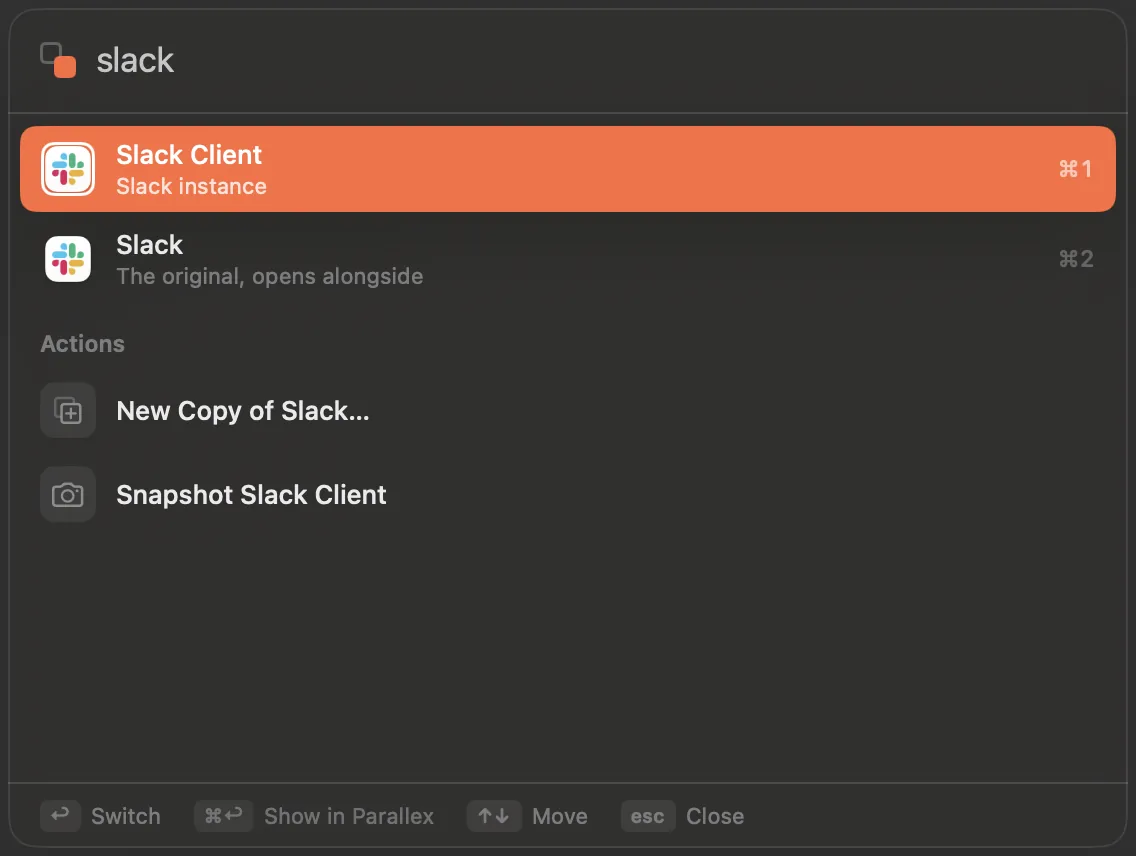
slacklists Slack Work and Slack Client first, then Slack itself. It matches the start of a name, the start of any word in it, and its initials, soswfinds Slack Work. - Press Return to bring it forward, or ⌘1 to ⌘9 to pick one of the first nine straight away. A workspace opens its copies together. ⌘Return shows the copy in Parallex instead, with its settings and snapshots.
Or type what to do
Start with a verb and the switcher lists things to do. Return runs the selected one, and ⌘Return does the other thing it offers, shown while you hold ⌘. A plain name does both: slack lists your Slack copies, then Snapshot and New Copy for them underneath.
| Type | What it does | With ⌘Return |
|---|---|---|
new slack, copy, another | New Copy of Slack… opens New Instance with Slack picked | Choose another app |
open, workspace | Open a workspace, with its copies | Show the workspace |
snapshot, back up | Snapshot Slack Work keeps its data as it is now. The copy has to be quit; if it's running, its page opens to say so | Show its snapshots |
rewind, restore, undo | Rewind Slack Work… opens its snapshots, to pick the one to go back to | Nothing else |
pause, stop agents | Pause Agent Runs pauses running agents and cuts their network, and Resume Agent Runs undoes it. They show when you have agent workspaces, a Pro feature | Show agents |
usage, limits | Show Usage opens each AI account's usage in the menu bar (Pro) | Usage settings |
practice | Make a Practice Copy to try snapshots with nothing at stake | Nothing else |
discover, settings, welcome | Discover, Settings and Show Welcome Again | For Discover, How Parallex Works |
On a Mac without Pro, Show Usage says so with a quiet Pro, and choosing it explains what it is and how to get it, rather than refusing.
Ask it how
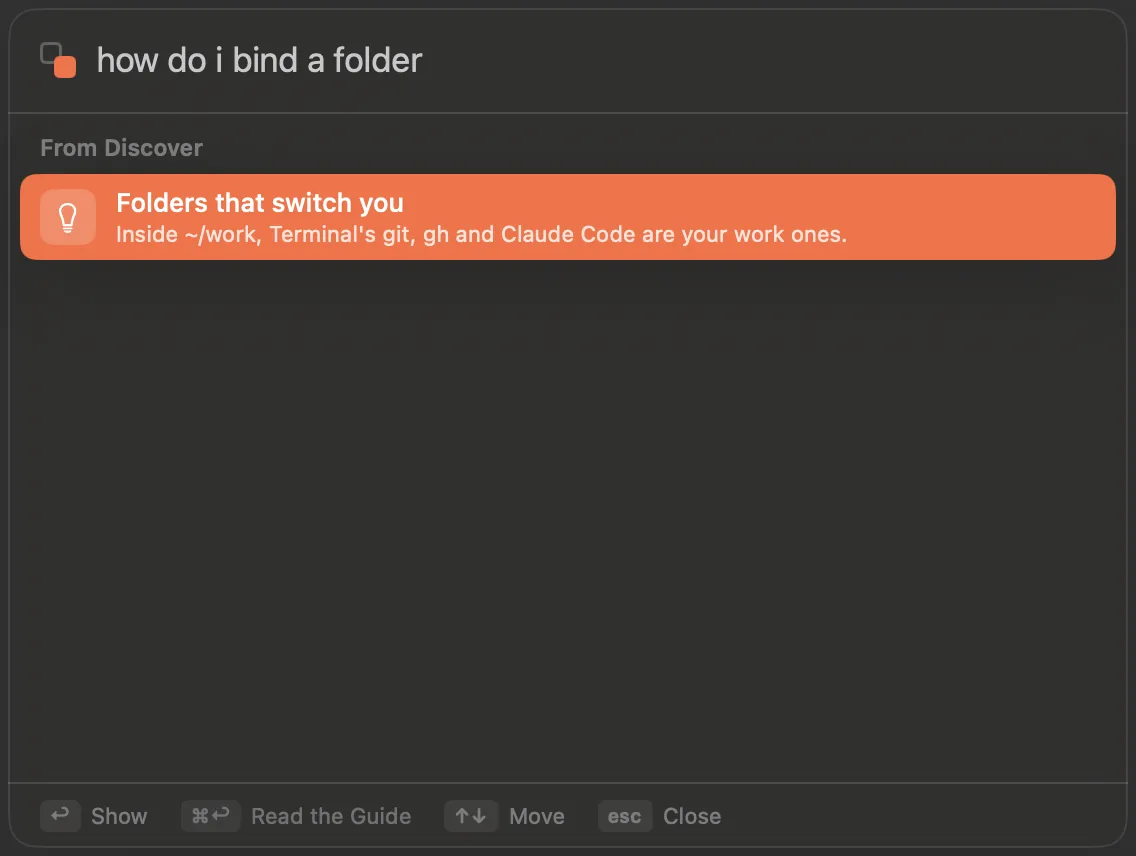
Questions work too. Type how do I bind a folder and the switcher answers with the Discover entry that covers it: Return opens it in Parallex, and ⌘Return opens its guide on this site, where there is one. A word on its own, like snapshots, finds its entry when nothing else matches.
Without Parallex
macOS has good ways to switch: ⌘-Tab between running apps, ⌘-` between windows of the app in front, and Spotlight (⌘-Space) to open an app by name. They go by app, though, and two of the same app look alike in ⌘-Tab. With an account in each copy, the names you give the copies are what you're looking for, and that's what the switcher searches, along with workspaces and things to do.
Good to know
- Change the shortcut in Settings › General, under Telling instances apart, or turn it off. If macOS already uses ⌃⌥Space on your Mac (it's the shortcut for the next source in the Input menu), macOS comes first: choose another there.
- A shortcut of its own: any copy can have a key combination that opens it, or hides it again, from anywhere. Set it on the copy's page.
- Nothing leaves your Mac. The switcher searches names Parallex already has: your copies, workspaces and apps, and Discover's entries.
Questions
Is there a keyboard shortcut to switch between accounts of the same app on a Mac?
macOS switches between apps, not the accounts inside them. With each account in its own copy of the app (Slack Work and Slack Personal, say), Parallex's ⌃⌥Space finds either by name, and each copy can also have a shortcut of its own that opens it from anywhere.
Can I change ⌃⌥Space?
Yes, in Settings › General, or turn it off there. If macOS uses ⌃⌥Space on your Mac, for switching input sources, macOS gets it first, so choose another.
Does it list apps I haven't copied?
It lists the originals of the apps you have copies of, running or not, so slack can open your own Slack beside Slack Work. For every other app, ⌘-Tab and Spotlight are already there.
Is the switcher part of Pro?
No, it's in every Parallex. Two of its actions are for Pro features: Show Usage (usage for each account) and Pause Agent Runs (agent workspaces). The 14-day free trial includes everything.
Get Parallex
Try it free for 14 days, then a one-time purchase, for macOS 14 and later. In Terminal:
curl -fsSL https://parallex.mandip.dev/install | shOr download the disk image, or with Homebrew: brew install --cask mandipadk/parallex/parallex.