Suggestions that stay on your Mac
Parallex can mention a feature when something you do points to it, and look back on your month. None of that involves what's in your windows, other apps' data, documents or settings, your browser history, or what you type, and none of it is sent anywhere. It's worked out on your Mac from Parallex's own records, kept in small files you can open, and each part has its own switch. The coach is off until you turn it on. All of it is in every Parallex.
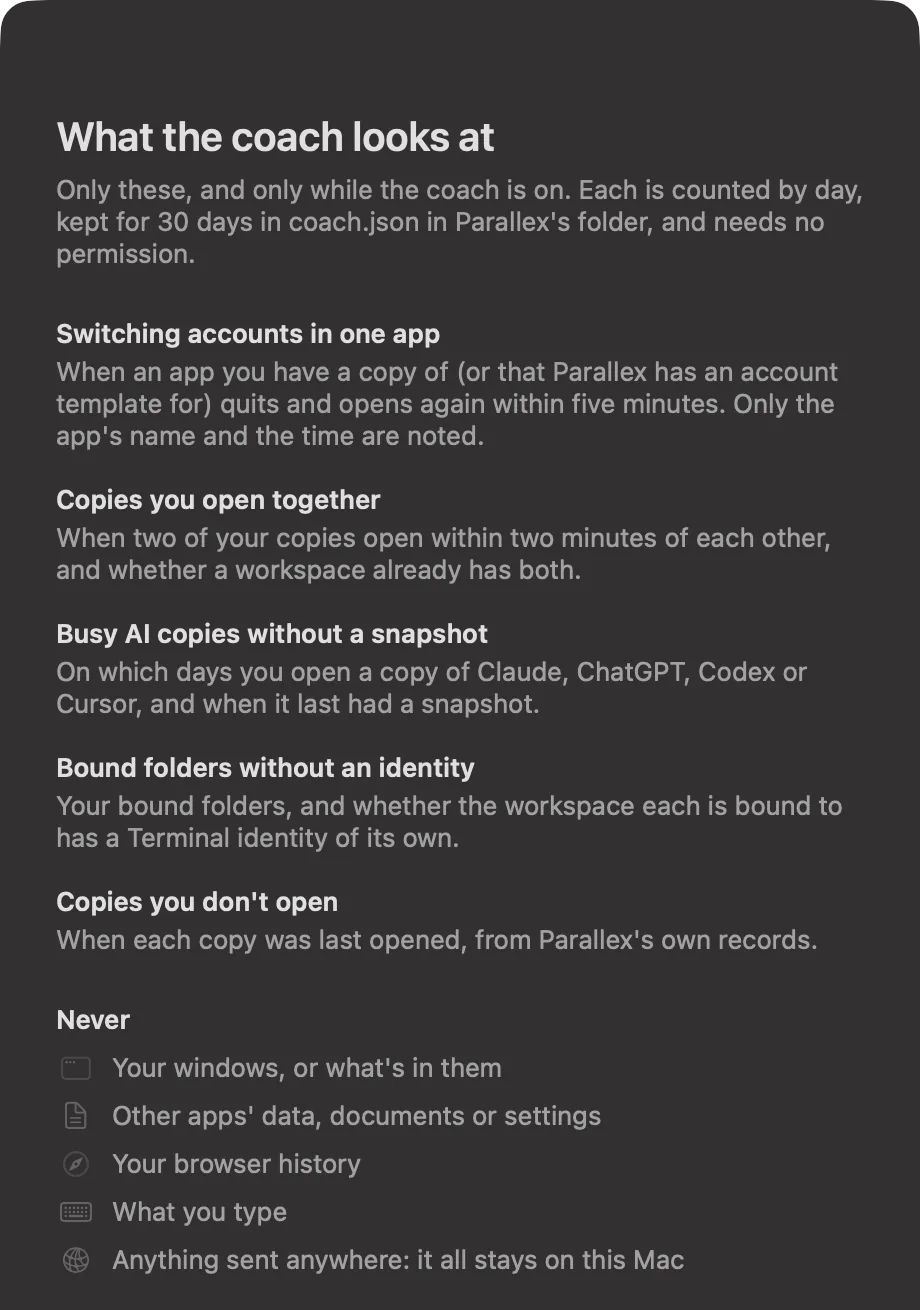
What it never looks at
- What's in your windows
- Other apps' data, documents or settings
- Your browser history
- What you type
- Anything to send: tips, the coach and the recap work only on your Mac, and aren't part of the anonymous usage report
Tips, at most one a day
When something you do suggests a feature, Parallex mentions it once, under the copy or workspace it's about: a shortcut for a copy you open several times a day, a workspace when you have two copies of one app, going back a version right after an app you copied updates, and a few more. Using the feature puts its tip away for good, and Don't Suggest This means it.
Tips come from Parallex's own records (your copies, workspaces, snapshots and settings) and a few things macOS tells any app: which apps are running and which one is in front. That's how it notices a sign-in link that opened your original Slack while a copy was waiting for it. It also checks whether a ~/.claude folder exists, for the tip about agent workspaces. What's been suggested is kept in tips.json in Parallex's folder.
The coach, off until you turn it on
Turn it on in Settings › General. Then, at most once a week, it may suggest something from a pattern it notices. Each card says why, with the fact it noticed, and offers one thing to do, Not Now and Don't Suggest This Again.
| Pattern | What it notes | What it may suggest |
|---|---|---|
| Switching accounts in one app | When an app you have a copy of, or one Parallex has an account template for, quits and opens again within five minutes: only the app's name and the time | A second copy of it, after 4 times on 3 days in a week |
| Copies you open together | When two of your copies open within two minutes of each other, and whether a workspace already has both | A workspace that opens both, after 4 times on 3 days in a week |
| Busy AI copies without a snapshot | Which days you open a copy of Claude, ChatGPT, Codex or Cursor, and when it last had a snapshot | Daily snapshots, for one you used on 3 days in a week without a snapshot |
| Bound folders without an identity | Your bound folders, and whether each one's workspace has a Terminal identity | An identity for that workspace |
| Copies you don't open | When each copy was last opened, from Parallex's own records | A look at a copy not opened in a month |
What the coach notes is counted by day in coach.json, kept for 30 days, and Clear in Settings forgets it. Turning the coach off forgets it too, and nothing is noted while it's off.

A monthly recap
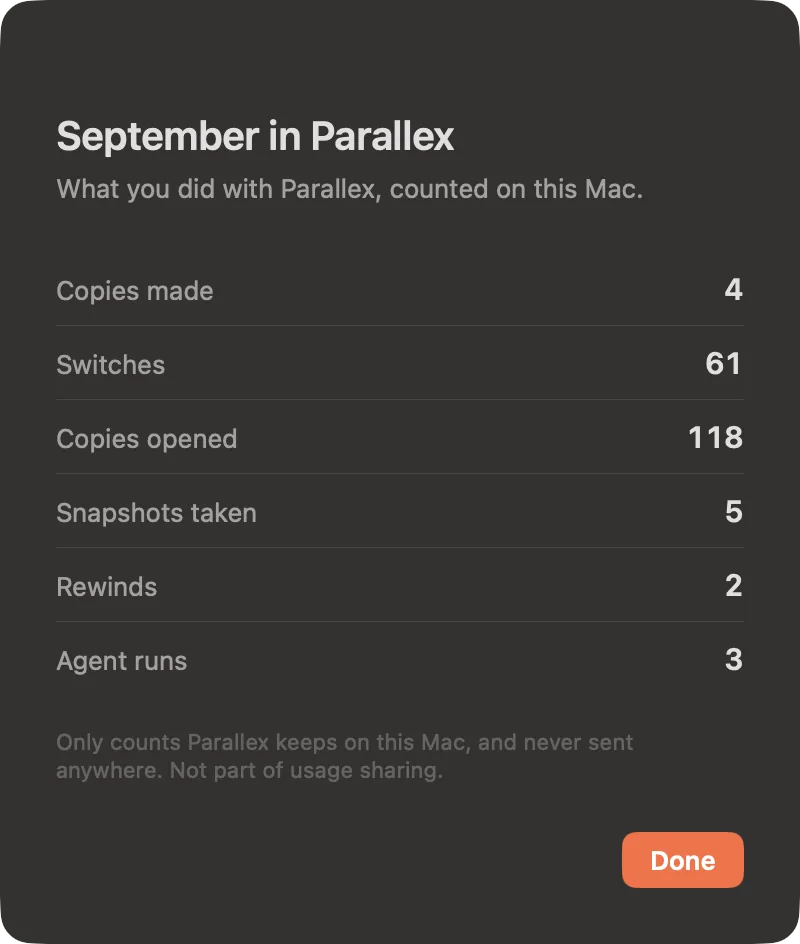
At the start of each month, a card puts last month in plain numbers: “September: 4 copies, 61 switches, 2 rewinds, 3 agent runs.” See the Month shows it as a short table. It counts only what you did in Parallex (copies made, switches, copies opened, snapshots you took, rewinds and agent runs), from its own records, kept for 13 months in recap.json. Settings › General turns it off, or shows it whenever you like.
Never at a bad moment
Tips, the coach, the recap and the trial's one reminder share one budget: at most one a day and three a week. Tips and the coach never show in the first ten minutes after Parallex opens, during a call, with a full-screen app in front, or while your screen is mirrored. To tell, Parallex asks macOS at that moment whether a camera or microphone is in use (never what's on it), whether the app in front fills the screen, and whether a display is mirrored, and keeps none of the answers. The coach also waits a day after you turn it on.
Learning it in place: Discover
Discover, at the top of Parallex's sidebar (and in the menu bar panel and the Help menu), lists every feature by the job it does, each with a small live demo drawn from the apps on your Mac, a line on what it does, and where you stand: You use this, Try it, or Pro. Show Me goes straight to the switch for it. Whether you use a feature comes from Parallex's own records on your Mac, too.
Turning it off
- Tips: Settings › General › Suggest features as you go.
- The coach: off unless you turned it on, in Settings › General.
- The recap: Settings › General › Show a recap at the start of each month.
- The anonymous usage report is separate, with its own switch in Settings › About. It counts which features are in use (how many copies have snapshots, say), never what the coach noted, your recap or your tips. What leaves your Mac lists everything it sends.
Questions
Does Parallex track how I use my Mac?
No. Tips and the coach look at Parallex's own records (copies, workspaces, snapshots, bound folders) and, for the coach when it's on, when apps you have copies of (or that Parallex has an account template for) open and quit. Nothing about your windows, documents, typing or browsing, and none of it leaves your Mac.
Is the coach on by default?
No. It's off until you turn it on in Settings › General. Tips are on, at most one a day, and one switch turns them off.
Where is it kept?
In Parallex's folder in your Library (~/Library/Application Support/Parallex): tips.json, coach.json and recap.json, plain JSON you can open. Clear in Settings forgets what the coach noted.
Is any of it Pro?
No. Tips, the coach, the recap and Discover are in every Parallex. Some tips are about Pro features, and say so.
Get Parallex
Try it free for 14 days, then a one-time purchase, for macOS 14 and later. In Terminal:
curl -fsSL https://parallex.mandip.dev/install | shOr download the disk image, or with Homebrew: brew install --cask mandipadk/parallex/parallex.