Describe your setup, and Parallex makes the copies
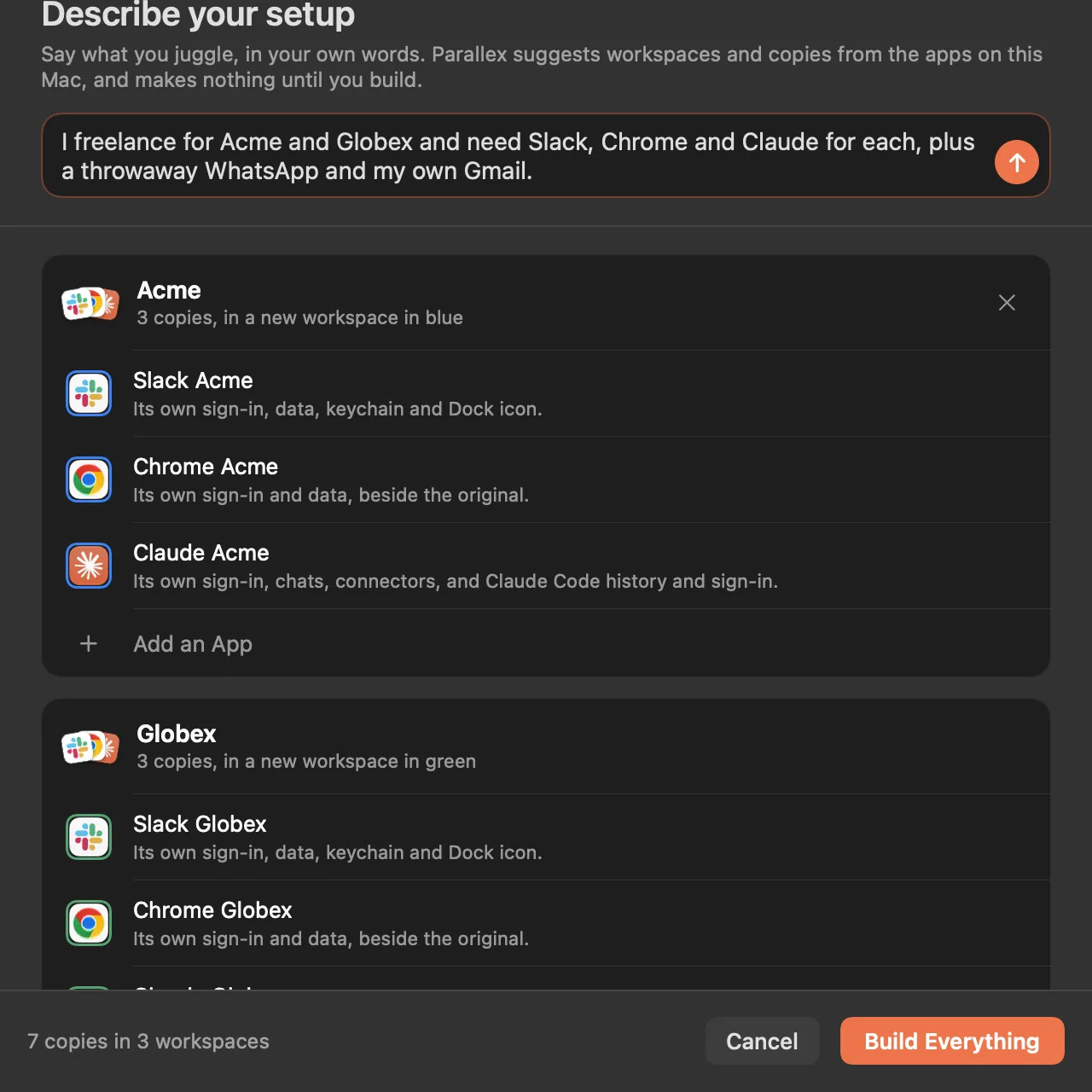
Keeping work, clients and personal apart on one Mac means a copy of each app for each side, made one at a time. In Parallex 3.0 you can say it instead: “I freelance for Acme and Globex and need Slack, Chrome and Claude for each, plus a throwaway WhatsApp and my own Gmail.” Apple's on-device model reads the sentence and suggests workspaces and copies from the apps on your Mac, Parallex's own code decides how each copy is kept apart, and nothing is made until you press Build Everything. In every Parallex, from $4.99 once for up to 3 Macs. The 14-day free trial includes it, with no card.
On this page
How it works
- Choose Describe Your Setup…: in New Instance, in the switcher (press ⌃⌥Space and type
describe), or in the first run's “What do you juggle?” step. - Say what you juggle, in your own words: who you work for, which apps each needs, and anything you only need for a while.
- Check what it suggests. Each workspace lists its copies and what each keeps to itself; remove one, or add an app. An app that isn't on your Mac is named, and nothing is made for it.
- Press Build Everything. Each copy opens signed out, ready for its own account.
What the model does, and what it doesn't
- It reads and picks. The model turns your sentence into names, workspaces and apps, and picks only from the apps on your Mac.
- Parallex decides the rest. Whether a copy is its own app, has its own keychain or shares its settings is decided by Parallex's own code, the way New Instance decides it, never by the model.
- It stays on your Mac. It's Apple's on-device model, with no network: what you type isn't sent anywhere.
Ask in words
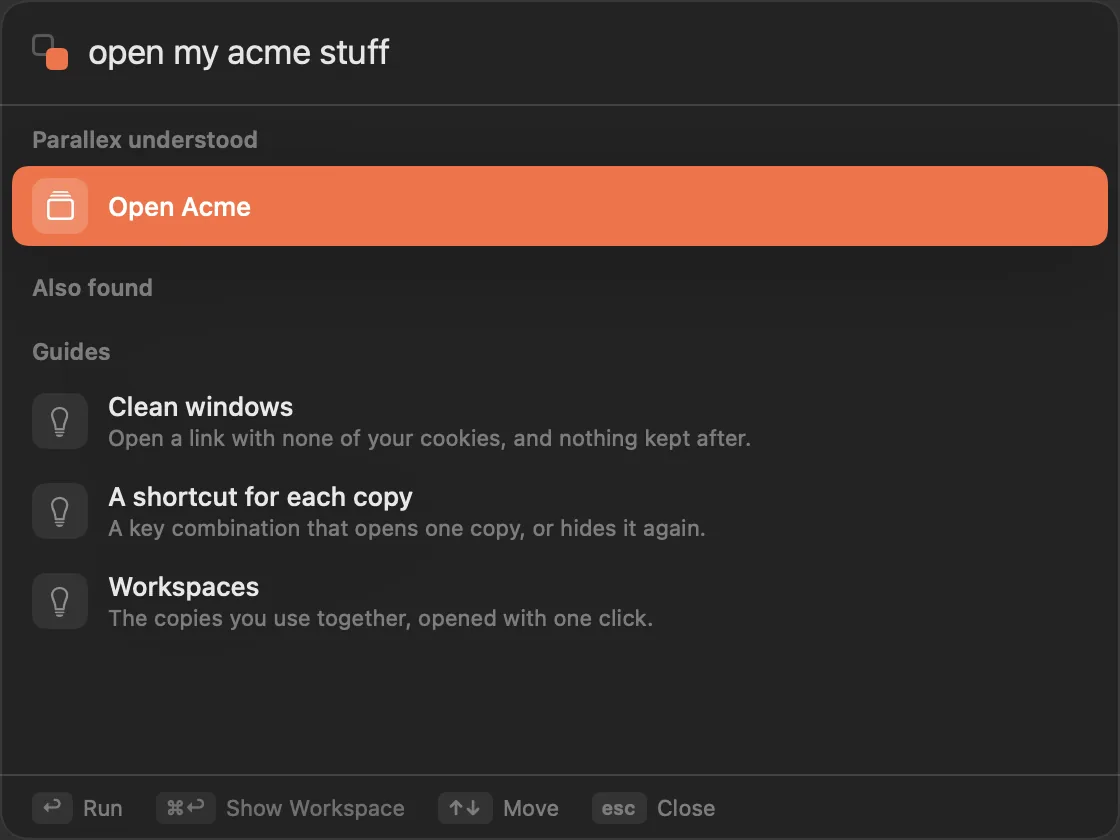
The switcher understands requests too. Type open my acme stuff after ⌃⌥Space and it shows what it understood, Open Acme, for you to run with Return. And a copy's page can say in plain words what the copy keeps and what it shares with the original, written on your Mac from its settings.
What it needs
Apple Intelligence, turned on, on an Apple silicon Mac with macOS 26 or later. Where it isn't available, describing and asking in words aren't offered, and the rest of Parallex works as before, on macOS 14 and later, Apple silicon and Intel. Making each copy by hand with New Instance is always there.
Without Parallex
macOS runs one copy of most apps per user, so two accounts of the same app need either a second macOS user account or a separate copy of the app. For websites alone, browser profiles are free and often enough. Work and personal apps on one Mac compares every way.
Questions
Can a Mac set up work and personal apps for me?
macOS doesn't do it by itself. With Parallex 3.0, you describe what you juggle in a sentence and it suggests a workspace for each side, with a copy of each app that needs one; you check it, and Build Everything makes them, each signed out and ready for its own account.
Does Describe send what I type anywhere?
No. It uses Apple's on-device model, on your Mac, with no network. Parallex's own code decides every isolation setting.
Is Describe part of Pro?
No, it's in every Parallex. Carry and Fleet, also new in 3.0, are Pro. The 14-day free trial includes everything.
Get Parallex
Try it free for 14 days, then a one-time purchase, for macOS 14 and later.
Or in Terminal
curl -fsSL https://parallex.mandip.dev/install | shOr with Homebrew
brew install --cask mandipadk/parallex/parallex