Share a setup as a link
A setup that works is worth passing on: to a new teammate, to a client's Mac, or to your own next one. In Parallex 3.0 it's a link. It says which apps get a copy, what each is called, the workspaces and their colors, and how each copy is kept apart, and nothing else: no data, no sign-ins and nothing that runs. In every Parallex, from $4.99 once for up to 3 Macs. The 14-day free trial includes it, with no card.
Share one
- Open a workspace's page in Parallex and choose Share Setup…. The link is copied.
- Send it however you like. Opened on a Mac with Parallex, it shows the setup first, with apps that aren't on that Mac marked and skipped.
- Nothing is made until Build Everything, and each copy starts signed out, for its own account.
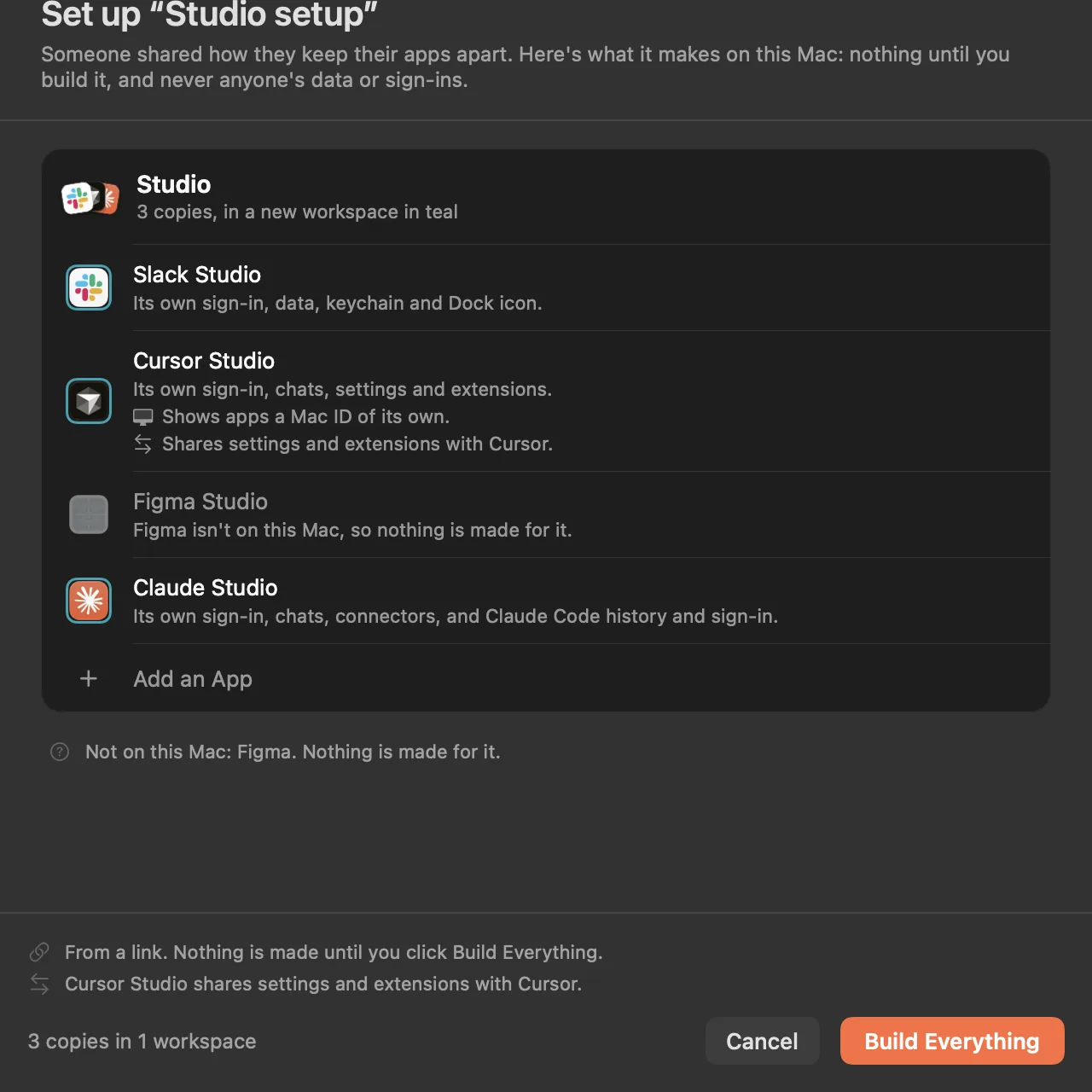
What a link carries
- In it: which apps get a copy (by their bundle identifier), what each copy is called, the workspaces and their colors, and how each copy is kept apart.
- Never in it: anyone's data, sign-ins, passwords, files, folders, paths or commands. Websites made into apps aren't part of a setup link.
- Checked again: whether a copy becomes its own app is decided on the Mac that builds it, as New Instance decides it there, not by the link.
Why the server never sees it
The setup rides in the part of the link after the #, the fragment, which browsers keep to themselves and never send to a server. On this site, the page that shows a link reads the setup in your browser; in Parallex, the link opens straight in the app.
Questions
Can I copy my Mac app setup to another Mac?
The setup, yes: a link shares which copies you have and how they're kept apart, and the other Mac builds them from its own apps, signed out. To move a copy with its data and sign-ins, Carry (Pro) moves it in one encrypted file.
Is anything in the link private?
Only the names you gave your workspaces and copies, and which apps they're of. No data, sign-ins or files, ever.
Is sharing a setup part of Pro?
No, it's in every Parallex, and so is opening one. The 14-day free trial includes everything.
Get Parallex
Try it free for 14 days, then a one-time purchase, for macOS 14 and later.
Or in Terminal
curl -fsSL https://parallex.mandip.dev/install | shOr with Homebrew
brew install --cask mandipadk/parallex/parallex